LinkedIn Sales Navigator: what it is, how much it costs and how to use it (2026)

Filip Duszczak
CEO InStream Group
- Reading time: 17 minutes
- November 15 2026
Updated: · prices from LinkedIn’s price list of 15 November 2026, practice from 446 InStream projects on LinkedIn
LinkedIn Sales Navigator is LinkedIn's paid tool for finding and following B2B prospects. It offers 50+ search filters for people and companies, lead lists, alerts about changes at decision-makers, InMail messages and AI summaries. On its own it does not sell: it helps you find the right people at the right moment, and the conversation is still run by a salesperson.
In short
- Sales Navigator is LinkedIn's paid version for selling: advanced filters, lead and account lists, alerts and InMail.
- Core starts at $119.99 a month or $1,079.88 a year per licence (€120.99 a month), Advanced at $159.99 a month (LinkedIn pricing, 15 November 2026).
- You do not need it to send invitations: you can invite people from any account, including a free one.
- It works best when you search for people, not companies, and have a plan for contacting each of them.
- Automation bots and plug-ins break LinkedIn's rules and put your account at risk of suspension.
- You can work on your own with a licence or hand all your social selling to the LinkedIn Sales team at InStream.
Network
How the LinkedIn network is built and what it means for sales
LinkedIn divides all members into degrees of connection relative to you. The degree decides how you can reach out and how warm the first contact will be.
1st-degree connections
People you are connected with. You can message them freely and see their activity.
2nd-degree connections
Connections of your connections. A mutual contact is the warmest starting point for an invitation.
3rd-degree connections
Connections of 2nd-degree contacts. An invitation is possible but needs a stronger reason.
Out of network
All other members. Usually InMail is left, or building your network through mutual connections.
The better your 1st-degree network fits your target, the more decision-makers you have in your 2nd degree. That is why we start a campaign with invitations to people from the target, not with InMails.
Invitations
Do you need Sales Navigator to send invitations?
No. You can send invitations from any LinkedIn account, including a free one. Sales Navigator does not increase the number of invitations you can send, but it helps you choose the right people, save them to lists and reach out at the right moment.
A licence makes sense when you look for clients every day, need filters such as tenure, company size or job change, or want to message people outside your network via InMail. If you invite a few people a week from a small market you already know, a free account and a well-built profile are enough.
Social selling strategies
How we find clients at InStream: social selling strategies
We always search for people (lead search), not companies, because contact is made person to person. We choose the strategy based on the client's goal and market.
| Strategy | How it works | When it works best |
|---|---|---|
| General | searching for decision-makers by ICP and regular invitations with context, at scale | a broad market with many companies matching the profile |
| Wishlist | 5–10 dream companies a month chosen by the client; we reach several decision-makers in each | large contracts and specific companies you want to talk to |
| Mutual connections | starting from 2nd-degree people, mutual contacts and alumni of the same universities | a warm entry where a cold message would not work |
Cold emailing gives scale, LinkedIn gives precision
In the LinkedIn Sales service, experienced in-house salespeople do the work, not bots. They record voice messages manually and run manual cold emailing to the same people in parallel. It all runs on our CRM for LinkedIn platform. Read more about the method in the guide social selling: what it is and how to sell on LinkedIn, and about the service on the LinkedIn Sales page.
LinkedIn Sales module demo: see the platform in action
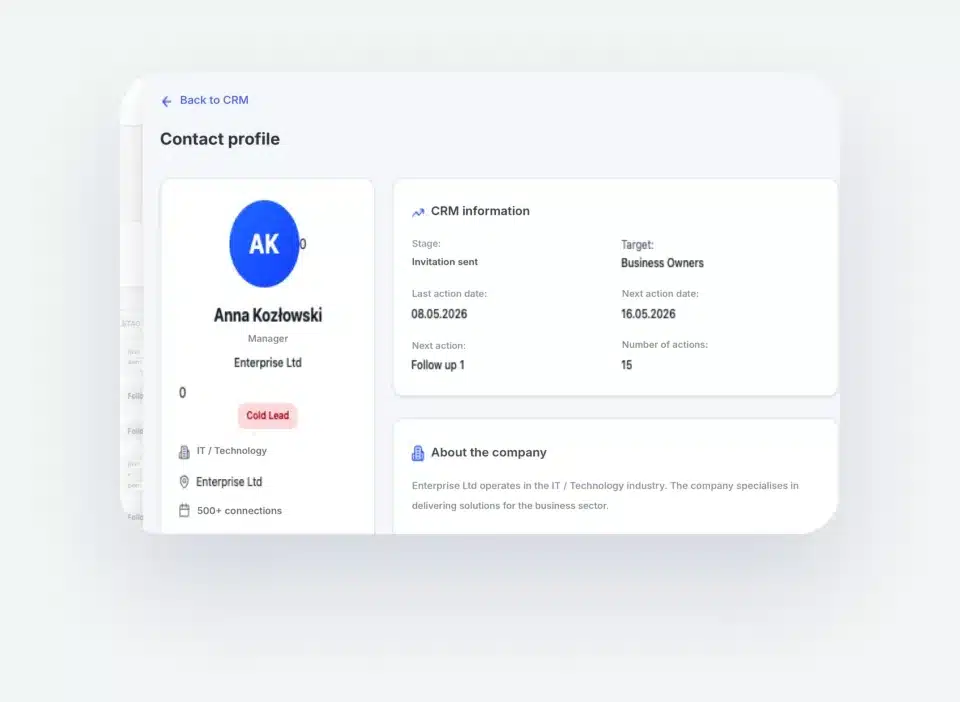
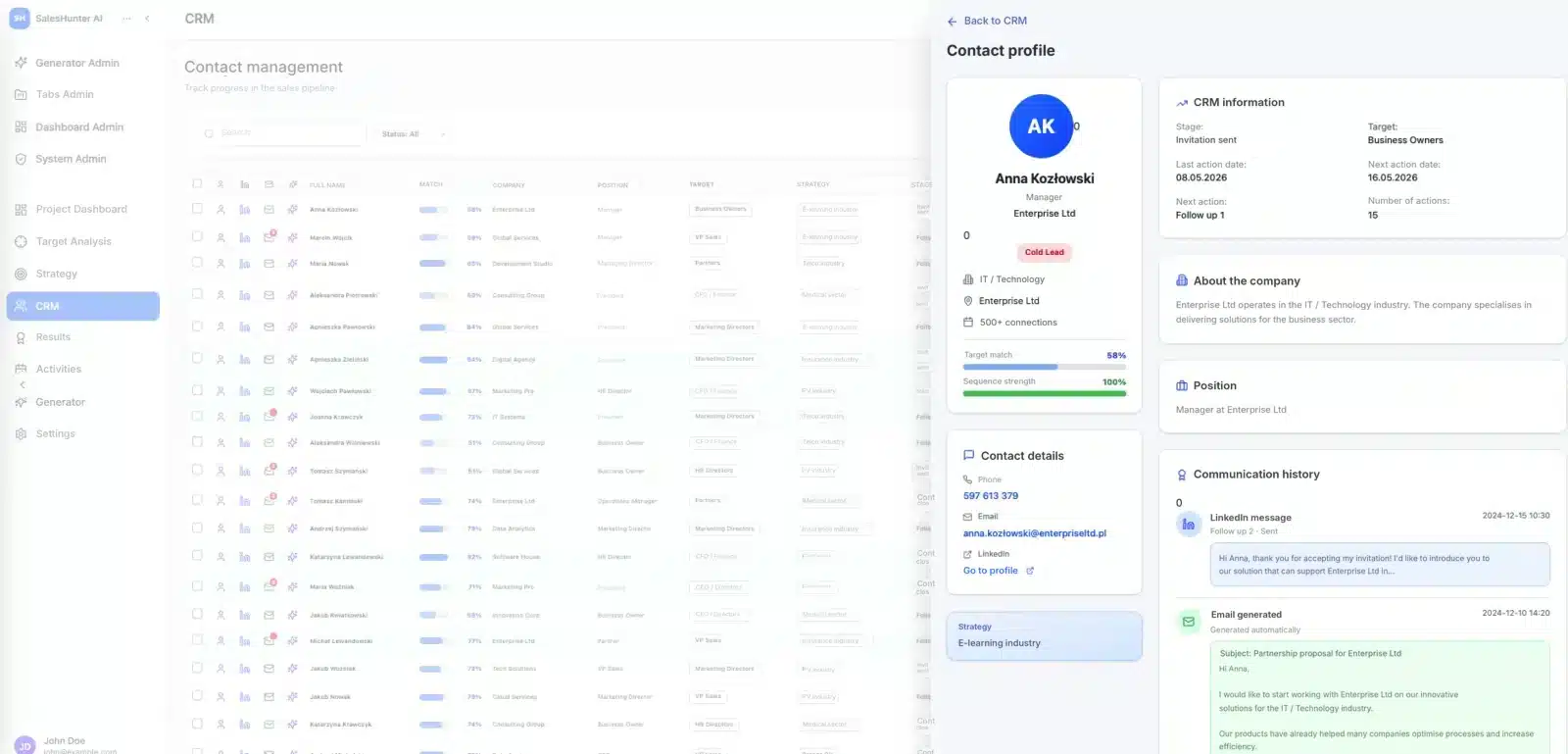
We work on our own CRM for LinkedIn platform. The salesperson runs conversations manually. The system organises contacts, sequences and results. Legally and without risk to your account.

- Voice messages
- AI prepares content
- Hand-written messages
Comparison
Plug-ins and bots or a salesperson on LinkedIn?
Automation on LinkedIn is tempting because of its scale, but it hurts credibility and account security. See how our approach differs.
| Area | Plug-ins and bots | InStream Social Selling |
|---|---|---|
| Who runs the conversation | A bot that clicks instead of a person | An experienced salesperson, manually |
| Account security | Risk of account restriction or ban | A legal connection with LinkedIn, with no risk to the account |
| Scale of activity | Hundreds of invitations a day, en masse | Low volume and high conversion |
| Message content | The same template for everyone | Personalisation, voice messages and content prepared with AI |
| Contact channels | Only automated LinkedIn messages | Many channels at once: LinkedIn, voice messages and email |
| Strategy | What counts is the number of invitations sent | A strategist selects the target group and sequences |
| Your brand | Spam signed with your name | Credibility and quality that build your brand |
No bots or plug-ins. Every message is sent by a person.
LinkedIn rules
LinkedIn policy: what you must not do with Sales Navigator
Sales Navigator runs under the same rules as a regular account. The LinkedIn User Agreement (mainly section 8.2, “Don'ts”) prohibits, among other things:
| Prohibited action | What it means in practice |
|---|---|
| Bots and unauthorised automated methods | adding contacts, sending or redirecting messages automatically, without a person |
| Software, scripts, plug-ins and browser extensions that copy data | scraping profiles and lists from Sales Navigator into external databases |
| Bypassing limits and security | circumventing caps on invitations, searches and profile views |
| Sharing your account | one Sales Navigator licence and one account belong to one person |
What breaking the rules can cost
LinkedIn can restrict or suspend the account, and with it access to Sales Navigator, lists and conversation history. That is why at InStream people write and record every message, and our platform connects to LinkedIn legally. You will find the full rules in the LinkedIn User Agreement.
Account security
A system legally connected to LinkedIn
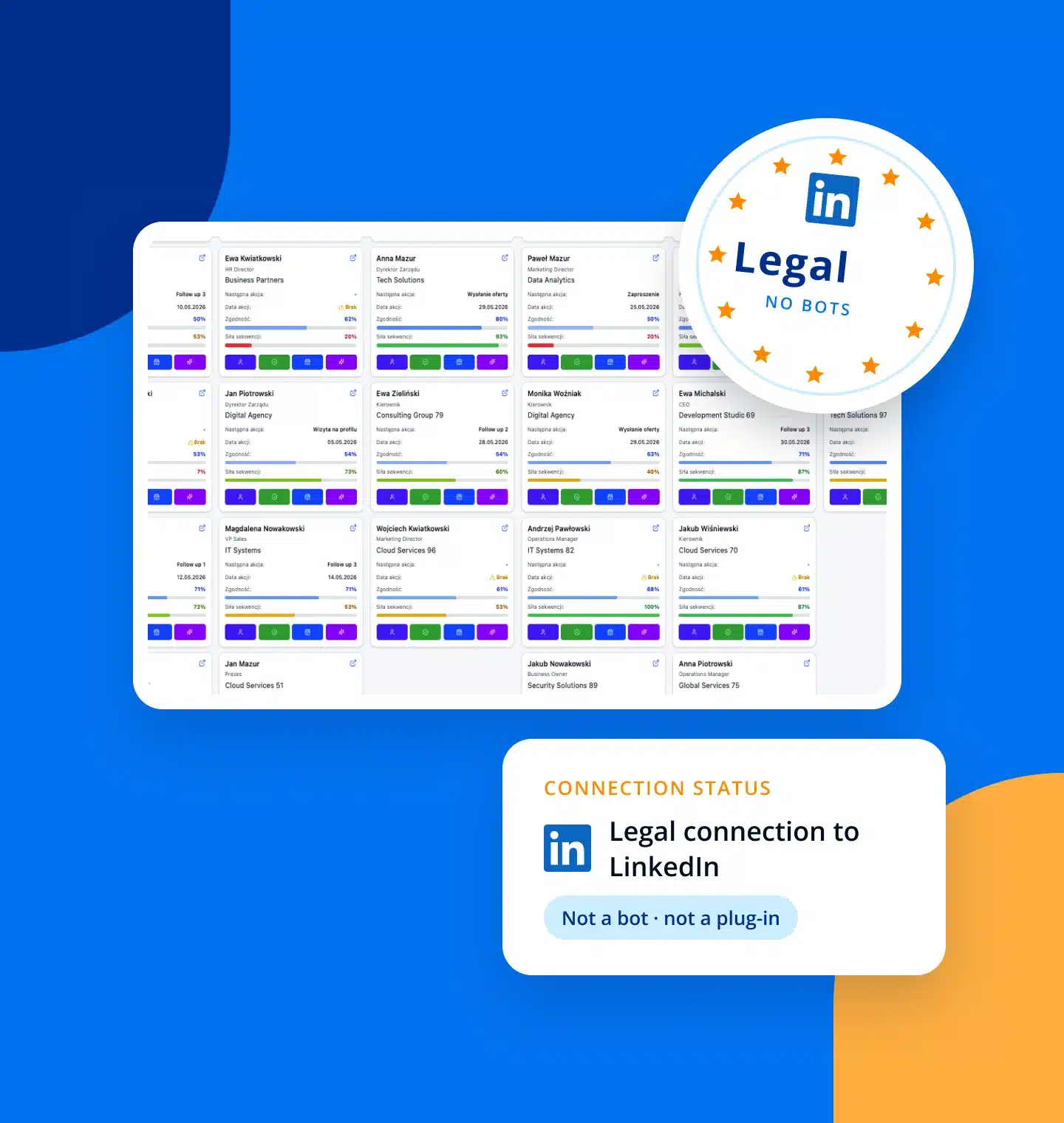
Our platform connects to LinkedIn legally. It is not a bot or a browser plug-in. Every message is written and sent by a salesperson. The system organises contacts and conversation history.
- Not a bot and not a browser plug-in
- Every message is sent manually by a salesperson
- Safe for your account and your brand
- Voice messages
- Manual emails
- Deep research
- AI content
Salesperson tools
Voice, manual emails, deep research and AI
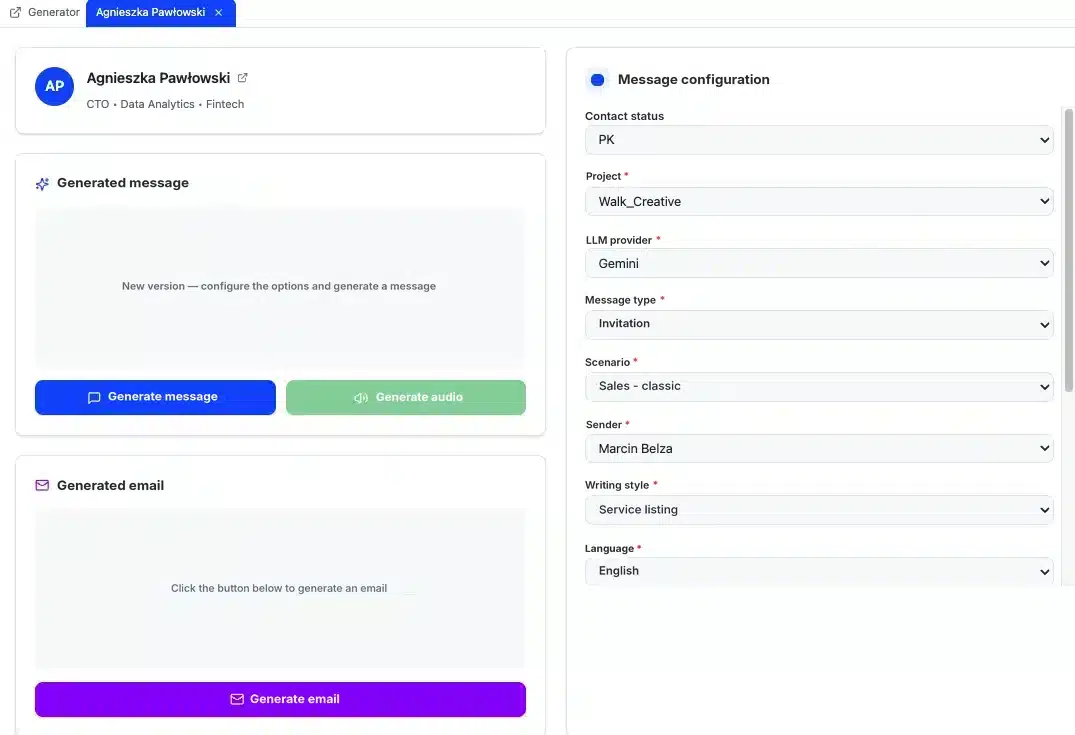
The salesperson records voice messages and manually writes emails to people they are building relationships with. Before contact we do deep research on the company and the person. AI prepares content suggestions. A person always approves the final version.
- Voice messages recorded by the salesperson
- Emails written manually, alongside LinkedIn
- Deep research and AI before every contact
Analytics
Campaign analytics in one panel
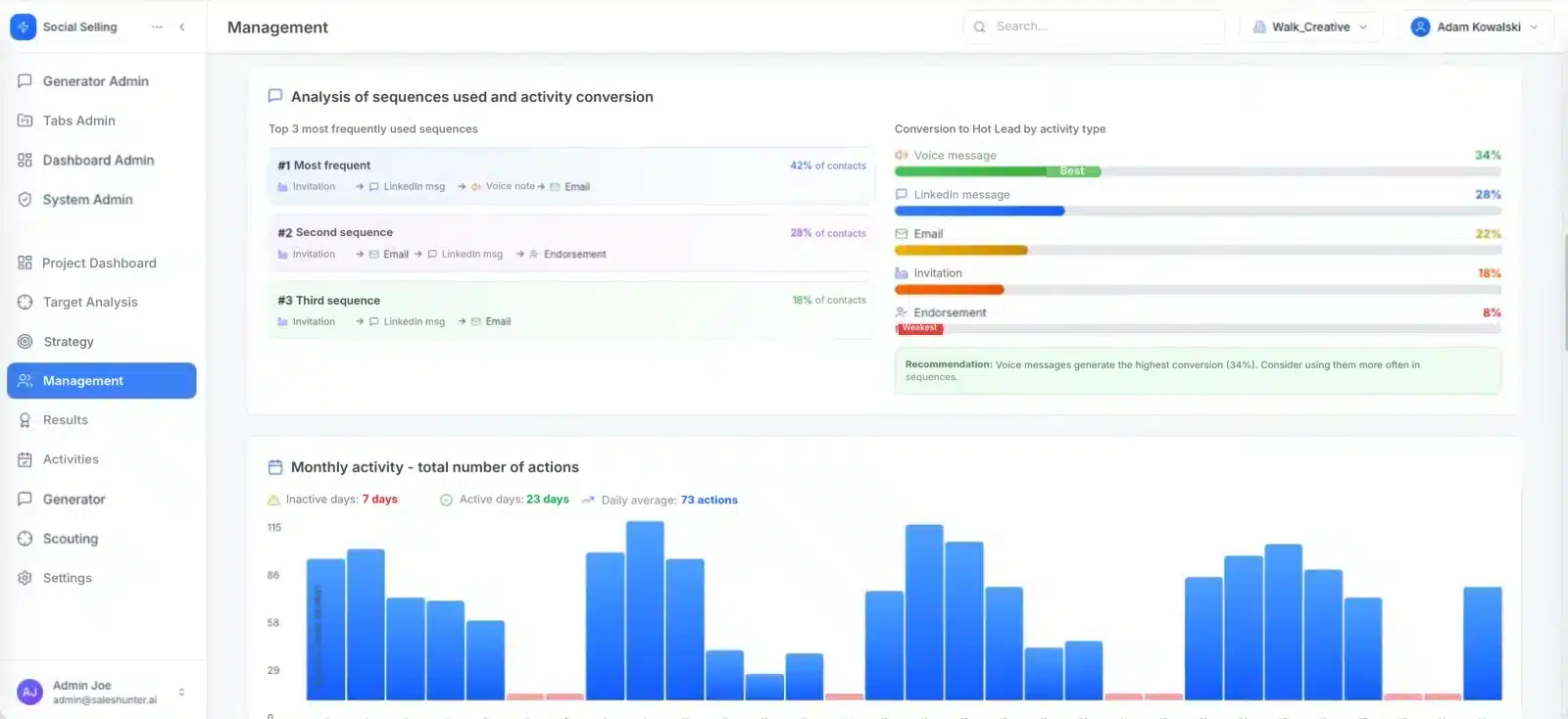
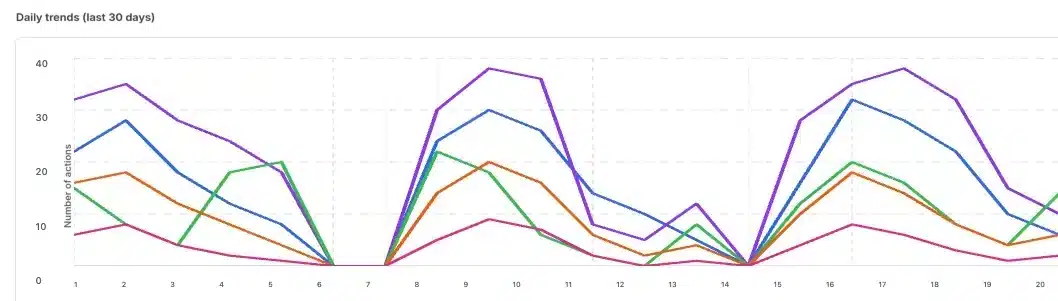
In the CRM for LinkedIn panel you see campaign activity trends, contacts handed over and the conversion of each type of activity. We check which sequences and activity types generate the most conversations. On that basis we develop the campaign.
- Activity trends day by day
- A ranking of the most effective sequences
- Conversion by activity type, including voice messages
- Trends
- Sequences
- Conversion to Hot Lead
- Recommendations
See how the social selling team at InStream works: 5 videos
Five short videos: strategy and the decision-maker map, AI messages and voice recordings, CRM for LinkedIn, messages sent by a person, and daily work and results.
Strategy and the decision-maker map
Several strategies at once: key companies, the whole buying team and mutual connections, and a summary of results after 90 days.
AI messages and voice recordings
Content tailored to the recipient's profile, a voice message in your voice and sequences that lead to a meeting.
CRM for LinkedIn
Every contact has its stage and full history. The system keeps track of deadlines and builds a relationship portfolio that stays in the company.
Messages sent by a person
LinkedIn, email and voice in one conversation. The salesperson sends every message manually from your expert's profile.

Daily work and results
Around 20 new contacts a day, results week by week and a plan: a month of preparation, then meetings.
Case studies
Client references: social selling results on LinkedIn
Since 2017 we have run 446 projects on LinkedIn. An example: StethoMe, the CEO’s personal brand and outreach to the US market in 4 months: 607 invitations and a 13.5% acceptance rate. Below are client stories with videos.
Clients and their stories
Our clients' success and satisfaction matter most to us. Join more than 1,700 companies worldwide for which we have generated leads.
Case study
Emitel × InStream
Cold Email campaign: boosting in-building mobile network coverage.
105 hot leads350% of the guarantee deliveredClient testimonial
Mr Staff Support
Recruitment of drivers and workers from Asia. Magdalena talks about working with InStream.
Case study
Studio201 × InStream
Cold Email campaign for a software house: apps and AI implementations.
119 hot leads3 signed contractsClient testimonial
Packon
Cardboard packaging manufacturer. Konrad Wijata talks about working with InStream.
Case study
Personal System × InStream
Cold Email campaign for a permanent and temporary staffing agency.
40 hot leads in 3 months17,000+ messagesClient testimonial
Proexwork
Staffing agency. Maciej Krutul talks about working with InStream.
Case study
StethoMe × InStream
LinkedIn: the CEO's personal brand and US market outreach in 4 months.
607 invitations13.5% acceptance rateCase study
Iguana Group × InStream
Cold Email campaign to schools: sports equipment.
43 hot leads419 repliesClient testimonial
HSK Consulting
Employee hiring services. Jarosław Multan talks about working with InStream.
Client testimonial
MAAG Gear
LinkedIn campaign, 2 years of working together. Krzysztof Orłowski talks about working with InStream.
Client stories
See how we help companies like yours
Testimonials, case studies and campaign results from our clients in Poland and around the world.
See client storiesWorking model
Sales Navigator licence or fully outsourced LinkedIn Sales
A licence gives you a tool. Results come from people who search, write and hold conversations every day. Compare the two working models.
| On your own with a Sales Navigator licence | LinkedIn Sales at InStream | |
|---|---|---|
| Who searches and writes | your salesperson, alongside other duties | a team of experienced in-house salespeople |
| Tools | Sales Navigator licence and CRM on your side | our own CRM for LinkedIn platform included |
| Channels | LinkedIn, manually recorded voice messages and manual cold emailing to the same people | |
| Profiles | your profile | up to 3 profiles |
| Guarantee | none | min. 5 hot leads per month |
| Cost | licence plus the salesperson's time | from €1,000 net per month; 4-month pilot priced on request |
A middle option
Your salespeople can work on our CRM for LinkedIn platform, and we agree the strategy and sequences together. Read more about the method itself in the guide social selling: what it is and how to sell on LinkedIn.
Calculator
Cost and time: is Sales Navigator worth it if you do it yourself
Enter the number of people, the time they will spend on LinkedIn, the cost of their working hour and the licence price. The calculator shows the monthly cost of doing it yourself next to the LinkedIn Sales subscription.
Your data
the values in the fields are examples, enter your own
Monthly cost
The calculator counts only time and the licence. It does not include manager time, CRM or learning the tool. Weeks per month: 4.33. The calculator does not store your data.
Pricing
LinkedIn Sales package
One price, full scope. See what you get when working with our team.
LinkedIn Sales
Salespeople on LinkedIn, voice messages and CRM for LinkedIn
€1,000
net / month
For companies that want to reach decision-makers on LinkedIn precisely and talk to them through experienced salespeople, not bots.
Book a callWhat you get
Team and strategy
- A team of 3 specialists: experienced full-time salespeople
- Up to 3 LinkedIn profiles run manually
- A general strategy at scale or a wishlist of 5 to 10 dream companies per month
Contact with decision-makers
- Min. 200 new contacts per month
- Manually recorded voice messages
- Manual cold mailing run in parallel
- Messages prepared with AI and approved by the salesperson
Platform and analytics
- CRM for LinkedIn: contacts, sequences and statuses in one place
- Campaign analytics: trends, sequences and conversion to hot lead
Results and guarantee
- Min. 5 hot leads per month
- A ready meeting in your calendar, a calendar link or a contact in your system
- No 5 hot leads: a 25% refund of the invoice or making it up the following month
Net price. We agree the details and terms in a conversation.
A pilot to start: you can test LinkedIn Sales in a 4-month pilot with the same guarantee of min. 5 hot leads per month. We quote the pilot price on request.
Frequently asked questions about Sales Navigator
What is LinkedIn Sales Navigator?
LinkedIn Sales Navigator is LinkedIn's paid tool for finding and following B2B prospects. It offers 50+ search filters for people and companies, lead lists, alerts about changes at decision-makers, InMail messages and AI summaries.
How much does Sales Navigator cost?
According to LinkedIn's pricing page (checked on 15 November 2026), Core starts at $119.99 a month or $1,079.88 a year per licence, and Advanced at $159.99 a month or $1,799.88 a year. In euros, Core starts at €120.99 a month. Advanced Plus is priced individually. Prices may exclude VAT.
What is the difference between LinkedIn Premium and Sales Navigator?
Premium upgrades a regular account, while Sales Navigator is a separate tool for selling: 50+ search filters, lead and account lists, alerts about changes at decision-makers, InMail messages and CRM integrations in higher plans.
Do I need Sales Navigator to send invitations on LinkedIn?
No. You can send invitations from any LinkedIn account, including a free one. Sales Navigator helps you find the right people, save them to lists and know when to reach out.
Is there a free trial of Sales Navigator?
Yes, for Core and Advanced, but only for members without a paid LinkedIn subscription who have not used a free trial in the past 365 days. A payment method is required, and LinkedIn sends a reminder 7 days before the trial ends.
How can I find prospects on LinkedIn without Sales Navigator?
Use the search bar with people filters, keyword search with AND, OR and NOT operators, the alumni tool on a university page, the 2nd-degree connections filter and the People tab on a company page. Free search has a commercial use limit, though.
Does Sales Navigator provide email addresses?
No. Sales Navigator shows profiles, companies and activity, and you reach out through invitations, messages or InMail. Email addresses have to come from another lawful source.
Should I search by people or by companies?
In our campaigns we always search for people (lead search), not companies, because contact is made person to person. Account search helps build a list of companies, but the conversation is with a specific decision-maker.
Are LinkedIn plug-ins and bots safe?
No. The LinkedIn User Agreement prohibits bots and other unauthorised automated methods for adding contacts, sending messages and copying data. Using them risks restriction or suspension of the account.
How much time does working with Sales Navigator take?
It depends on scale, but effective social selling is daily work: searching, saving lists, sending invitations with context and running conversations. That is why many companies hand this process to a team that does it every day.
Sales Navigator licence or outsourced LinkedIn Sales?
A licence gives you the tool, but the time and skills of the salesperson are on your side. In the LinkedIn Sales service at InStream, experienced in-house salespeople do the work from €1,000 net a month, with a guarantee of min. 5 hot leads a month.
Does InStream sell Sales Navigator licences?
No. You buy a Sales Navigator licence directly from LinkedIn. We run social selling on LinkedIn as the LinkedIn Sales service, on our own CRM for LinkedIn platform.
Let's talk about LinkedIn Sales
In a 30-minute call we will check your target on LinkedIn and tell you whether it makes more sense to work on your own with a Sales Navigator licence or to hand social selling to our team.
- 30 minutes, no obligation
- 446 projects on LinkedIn
- Min. 5 hot leads guaranteed
About the author
Filip DuszczakCEO and founder of InStream Group, 17 years in B2B sales. He built a team of 70+ specialists that has supported more than 1,700 companies in sales across 40+ markets.
LinkedIn profile