How to Choose a CRM in 2026: Types, Ranking and Costs

Filip Duszczak
CEO InStream Group
- Reading time: 28 minutes
- May 8 2020

Updated: · based on more than 250 CRM implementations by InStream Group
CRM (Customer Relationship Management) is a system for managing customer relationships and the sales process. It brings contacts, companies, calls, emails, offers and sales opportunities together in one place, guides salespeople through the stages of the funnel and gives managers the data they need to decide: what is in the pipeline, what will close and who needs support. A good CRM system works for your sales every day, but only when it reflects your sales process. Below you will find how to choose CRM software step by step, a selection checklist, a ranking of 20 systems and real costs.
- 250+ CRM implementations
- Gold partner of Pipedrive and Livespace
- 1,700+ companies from 40 countries
In short
- A CRM is the system in which a company manages customer relationships and the whole sales process, from first contact to invoice and repeat sale.
- Spreadsheets and an inbox stop being enough once more than one person sells or customer knowledge stays in salespeople’s heads.
- CRM systems come in three types: SaaS (SMEs), Enterprise (large organisations) and systems built from scratch.
- A licence costs from €0 to around €160 per user per month. Work it out in the licence calculator below.
- A CRM implementation in a small company usually costs €3,500–11,500, in medium and large companies €11,500–23,000, and in Enterprise it is always quoted individually.
- Process first, then the system. A CRM without a process reproduces the chaos you already have, only at a higher cost.
- What CRM is and what it is for
- 10 reasons you need a CRM
- Benefits of a CRM
- How to choose a CRM and a provider
- Presentation: how we choose a CRM
- Key CRM modules in 2026
- CRM ranking 2026
- Polish CRM systems
- CRM systems we implement
- Types of CRM systems
- What your own CRM really costs
- 8 steps with one consultant
- What to expect after implementation
- What a CRM costs including implementation
- IT company or Sales House
- How we bill a CRM project
- Which CRM to choose: recommendations
- CRM licence calculator
- AI in CRM
- Frequently asked questions
Trusted by 1,700+ companies from 40 countries
CRM selection and implementation
Not sure which CRM to choose? We will match it to your sales process
We start with a map of your sales process, then compare systems and implement the one your team will actually use. If the best system for you is the one we earn the least on, we will tell you so.
- 250+ CRM implementations
- Gold partner of Pipedrive and Livespace
- 1,700+ companies from 40 countries
What is CRM
What is CRM and what is a CRM system used for
CRM stands for Customer Relationship Management. In practice the word means two things: a way of managing customer relationships and the software that organises it, which is why “CRM software”, “CRM system” and “CRM platform” mean the same tool in practice. When someone in a company says “put it in the CRM”, they mean the software: a shared database in which the team sees every customer, every conversation and every sales opportunity. Below is the difference between a CRM and a spreadsheet, which is where most companies start.
| Criterion | Spreadsheet | CRM |
|---|---|---|
| Contact history | scattered across files and emails | with the customer: calls, emails, offers |
| Follow-ups | the salesperson's memory | reminders and tasks in the daily plan |
| Teamwork | five versions of the same file | one shared database for the whole team |
| Reports and forecasts | manual calculations | conversion rates and sales forecast in real time |
| A salesperson leaves | customers leave with their inbox | the history stays in the company |
What a CRM does day to day: it is the company's memory of the customer, it runs sales through the stages of the sales funnel, it plans the salesperson's day, it gives the manager data without asking for status updates and it connects sales, marketing and customer service around one customer record. If you are comparing specific systems, use the CRM selection checklist below. If you want specialists to select and configure the system, see our CRM implementation service.
10 reasons your company needs a CRM
- Customer knowledge lives in salespeople's headsWhen someone is ill or leaves, nobody knows where their conversations stand.
- A salesperson leaving means losing customersContacts leave the company together with their phone and inbox.
- Follow-ups get lostThe offer went out, but nobody called a week later because nobody was reminded.
- You don't know what you will sell next quarterThe forecast comes from conversations, not from data.
- Marketing leads waitAn enquiry from the website sits in the inbox until someone notices it.
- The manager asks for status at every meetingTeam meetings turn into reading out lists.
- Every salesperson sells differentlyThere is no shared process, so nobody knows what works.
- New salespeople take months to ramp upThere is no customer history and no documented way of working.
- You don't know which channel brings customersCold email, referrals, trade fairs or the website: without a lead source in the system it is guesswork.
- Customer data sits in several placesSpreadsheets, email, messenger and ERP, but none of them shows the full picture.
What are the benefits of a CRM system
The benefits of a CRM look different from the point of view of each role in the company. A CRM does not sell for the team. It gives the team order, data and time, which the team turns into sales.
Management board
A revenue forecast based on data, visibility of the whole pipeline and independence from individual people.
Sales manager
Oversight of team activity, conversion at every stage and knowing who needs help this week.
Salesperson
One daily plan, reminders, ready-made templates and less retyping of data.
Marketing
Feedback on which leads turn into customers and which campaigns pay off.
Customer service
The full customer history with every request, without chasing the salesperson.
Choosing a CRM starts with your process, not a ranking. We will walk through yours in 30 minutes.
Book a CRM consultationCalculate licence costsHow to choose a CRM and a provider: 6 categories to choose from
Before you compare specific systems, decide who you want to work with. There are six kinds of providers on the market and each has different strengths and different risks.
Global SaaS vendor
For: Small and medium companies, international teams
Plus: Fast start and hundreds of integrations
Risk: the system alone does not know your process
Local CRM vendor
For: Companies that want support in their own language
Plus: Local support, invoicing and payments
Risk: smaller integration ecosystem
CRM module in an ERP system
For: Manufacturing and distribution companies with an extensive ERP
Plus: One data set with stock and invoices
Risk: salespeople often bypass the module
Single-system integrator
For: Companies that already know which system they want
Plus: Deep knowledge of one tool
Risk: recommends the same system to everyone
Software house (system from scratch)
For: Unusual processes that do not fit any system
Plus: Full control
Risk: maintenance costs and no support
Sales House
For: Companies that want a CRM the team actually uses
Plus: Process first, then a choice among many systems
Risk: requires the board to take part in mapping the process
The choice of provider follows from the process map, not from a ranking. First you know how you sell, then you assess systems against the five criteria below.
5 criteria for choosing a CRM system
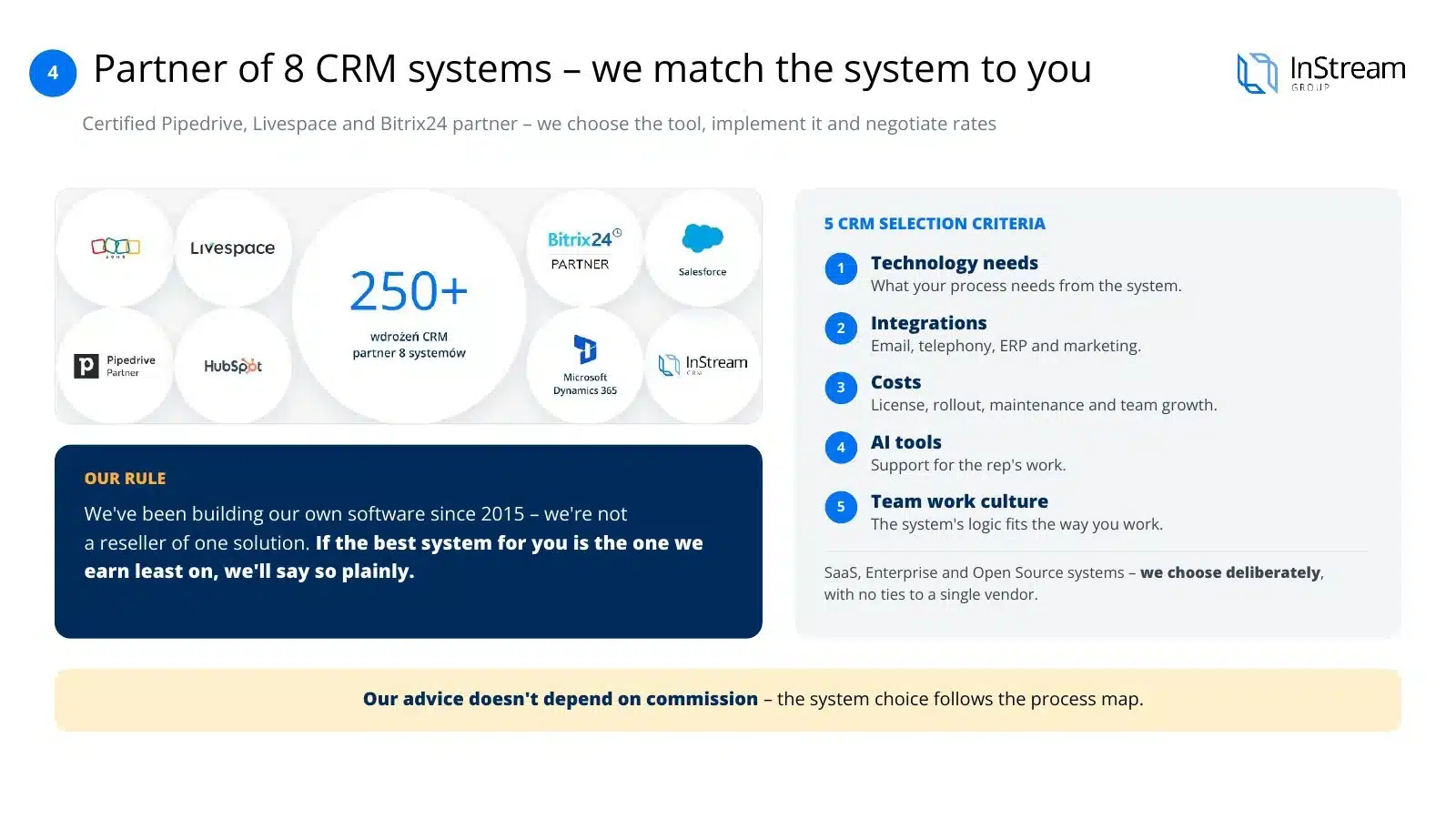
Choosing a system is the result of the process map, not the starting point. Once you know how you sell, you assess systems against five criteria:
- Technology needsWhat your process actually requires from the system, not what the system can do in theory.
- IntegrationsWhat the CRM has to connect to: email, telephony, ERP, marketing tools.
- CostsNot just the licence, but implementation, maintenance and the cost of growing with the team.
- AI toolsWhether and how the system supports the salesperson's work without replacing human judgement.
- Team cultureWhether the interface and logic of the system fit the way your team actually works.
Interactive checklist
CRM selection checklist: 8 questions before you buy CRM software
Tick every point your shortlisted CRM meets. The score shows whether the system fits your team or whether you should keep comparing.
Use the checklist for each system on your shortlist. A CRM that scores high here but does not match your sales stages will still fail, so start with your process map.
Presentation with voice-over
See how we choose and implement CRM systems
Twelve slides with voice-over: why CRM implementations don't deliver results, the modules of a good CRM, choosing a system from eight partners, eight implementation steps, the schedule and project pricing.
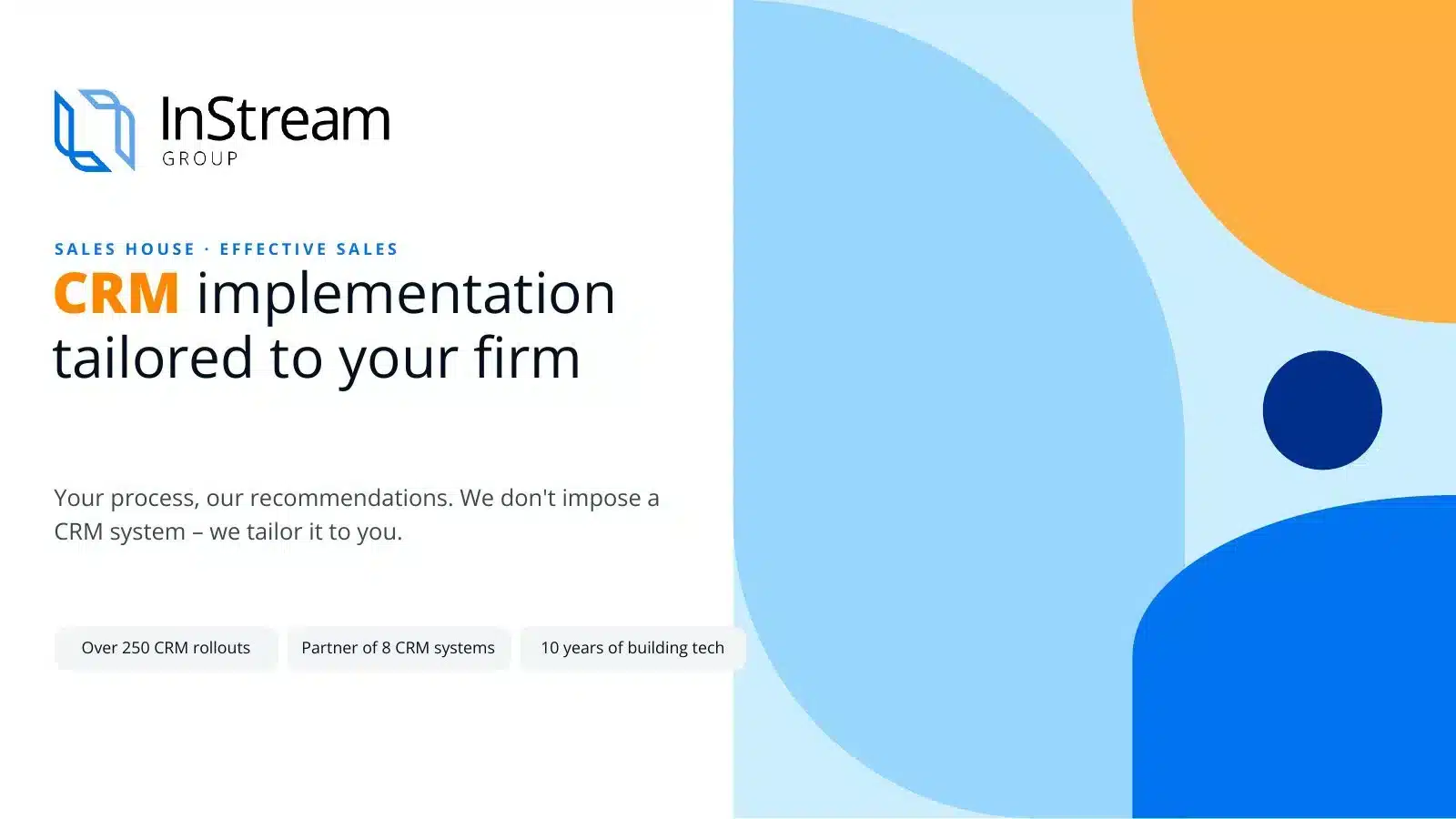
Arrows, swipe or click a thumbnail
Voice-over script for this slide
A well-implemented CRM works for your sales every day. We start with your sales process and only then match the system to it.
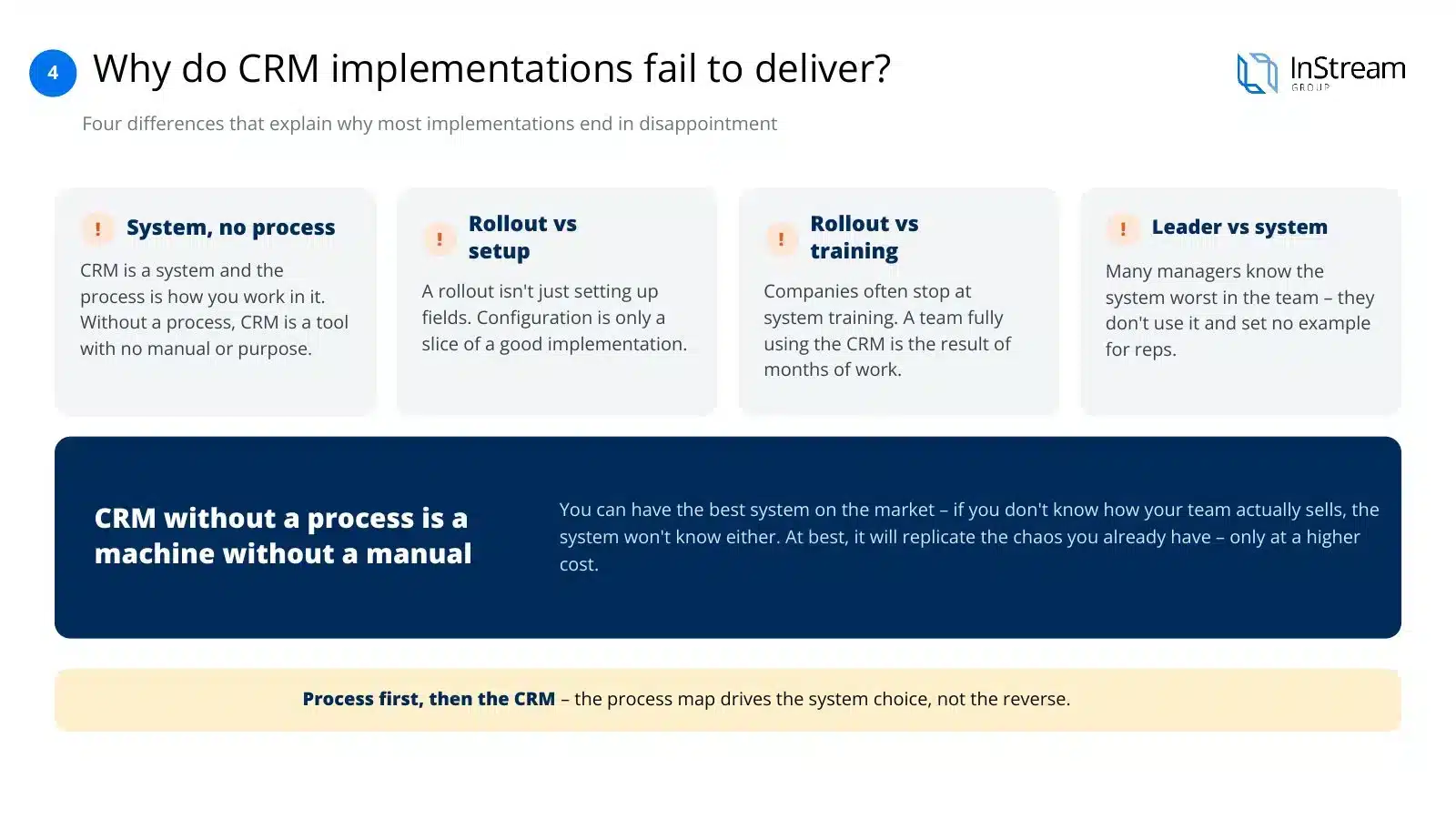
Many companies buy a good system and go back to spreadsheets after a few months. The reason rarely lies in the tool itself. Without a documented process, the CRM doesn't know how your team sells. That's why we first organise the process and only then choose the system.
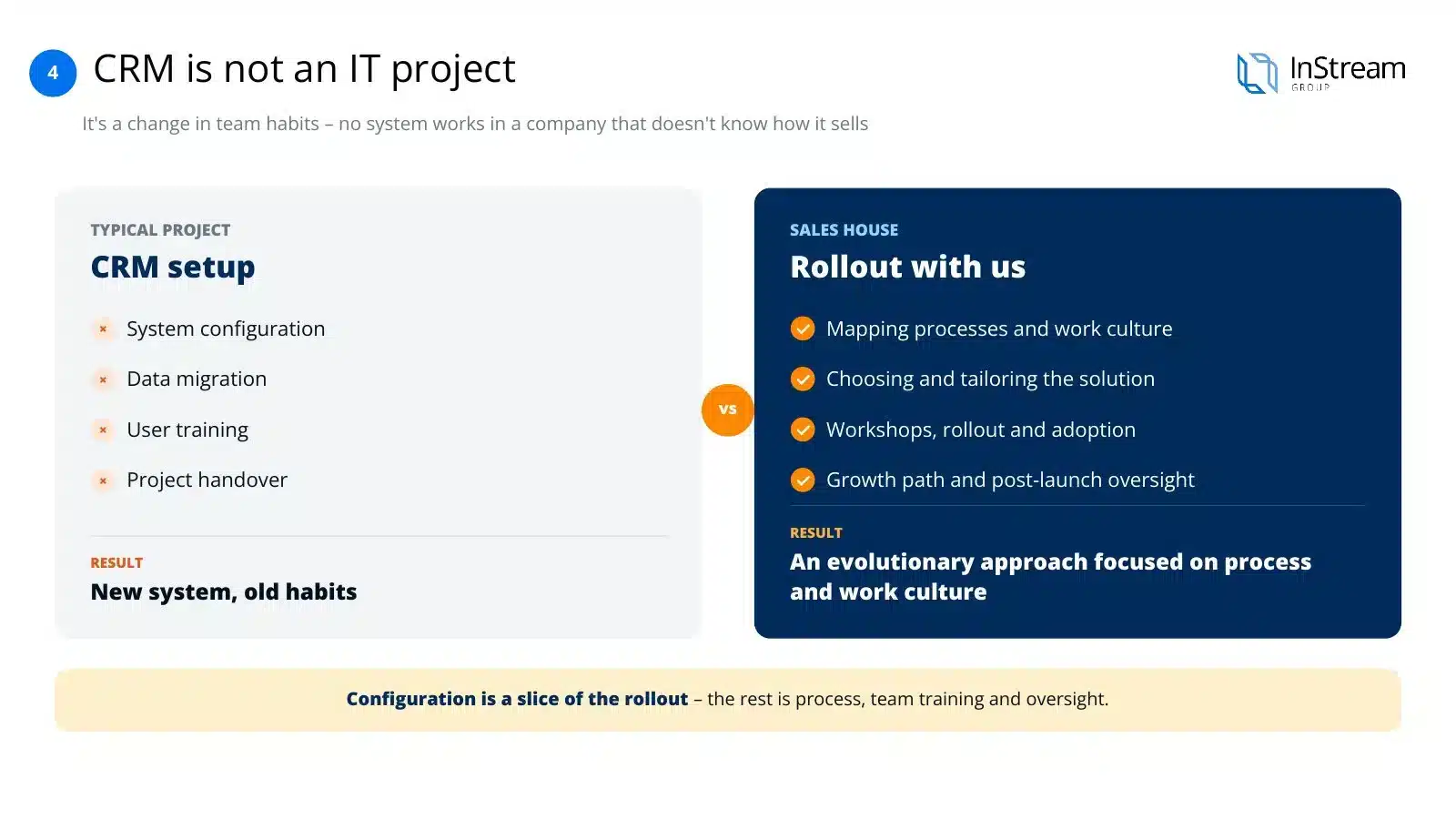
A CRM implementation is above all a change in the team's habits. Configuration alone gives you a new system with old habits. We guide your team from the process map, through workshops, to supervision after launch.
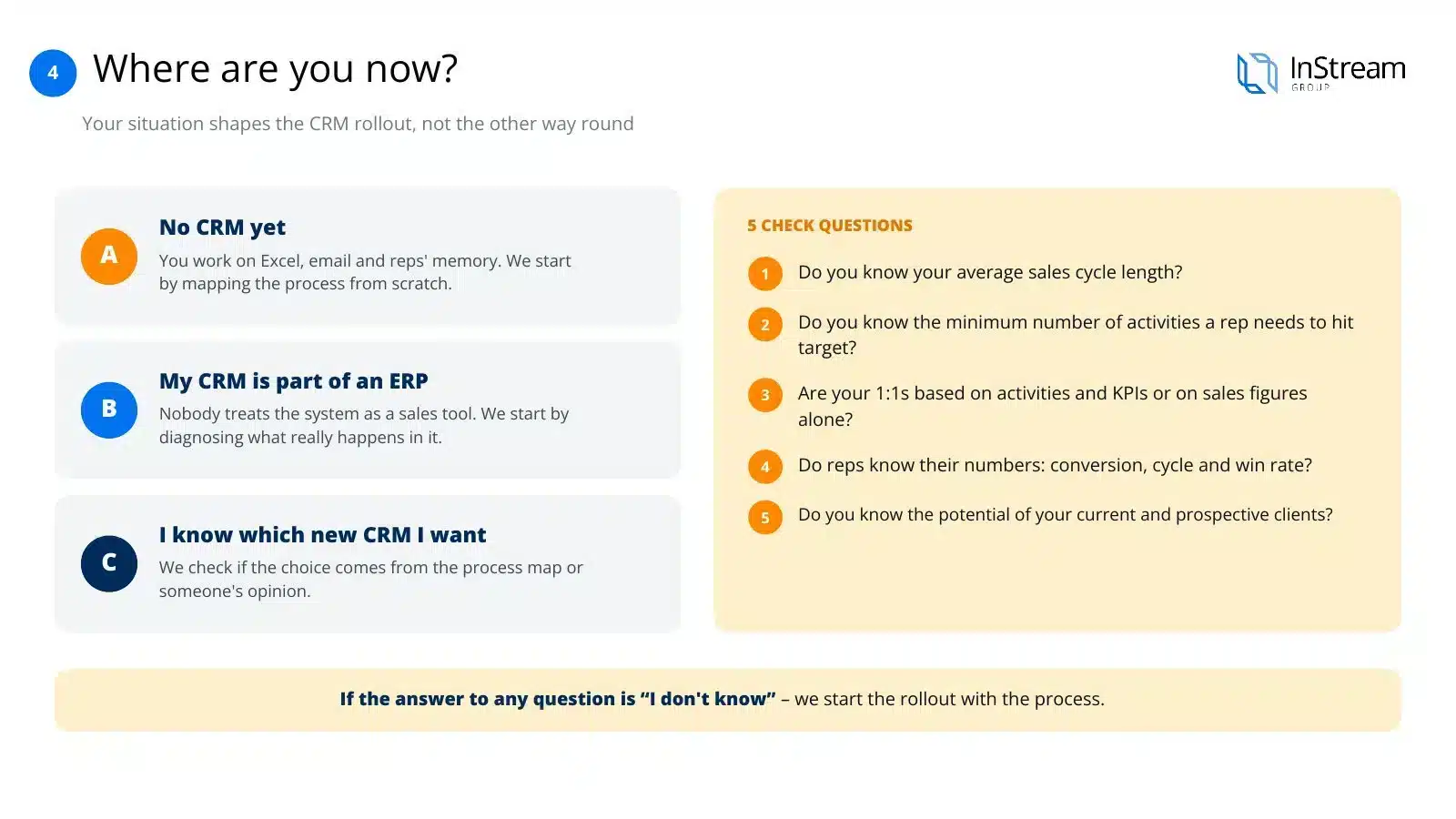
Every company starts from a different place. Some still work on spreadsheets, others have a system nobody uses. After a few questions about the numbers in your sales, we know where to start the implementation.
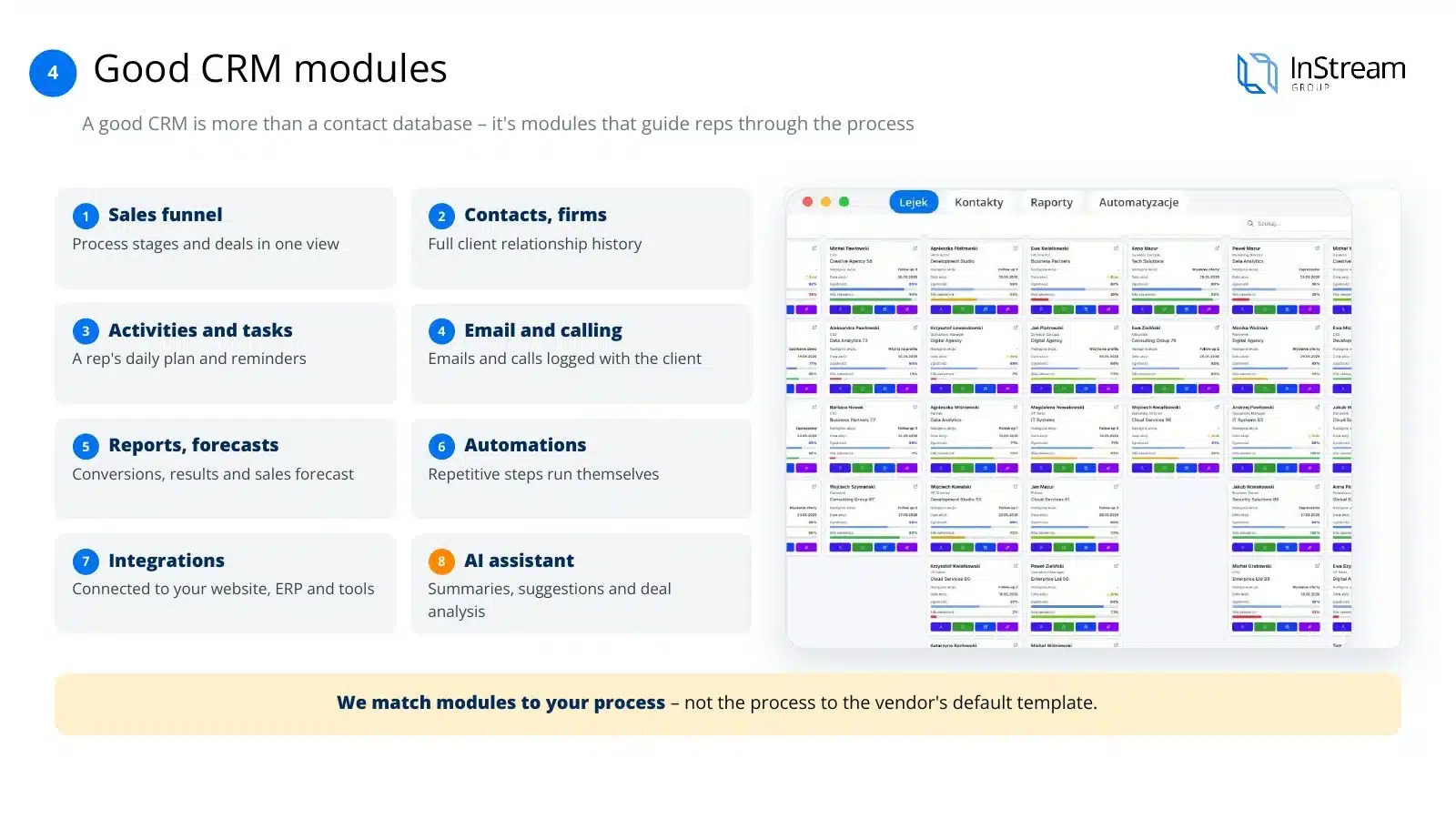
A good CRM is more than a contact database. It guides the salesperson through the successive stages of the conversation with the client and gives the manager reliable data. We choose the system's functions to fit your process, not the vendor's ready-made template.
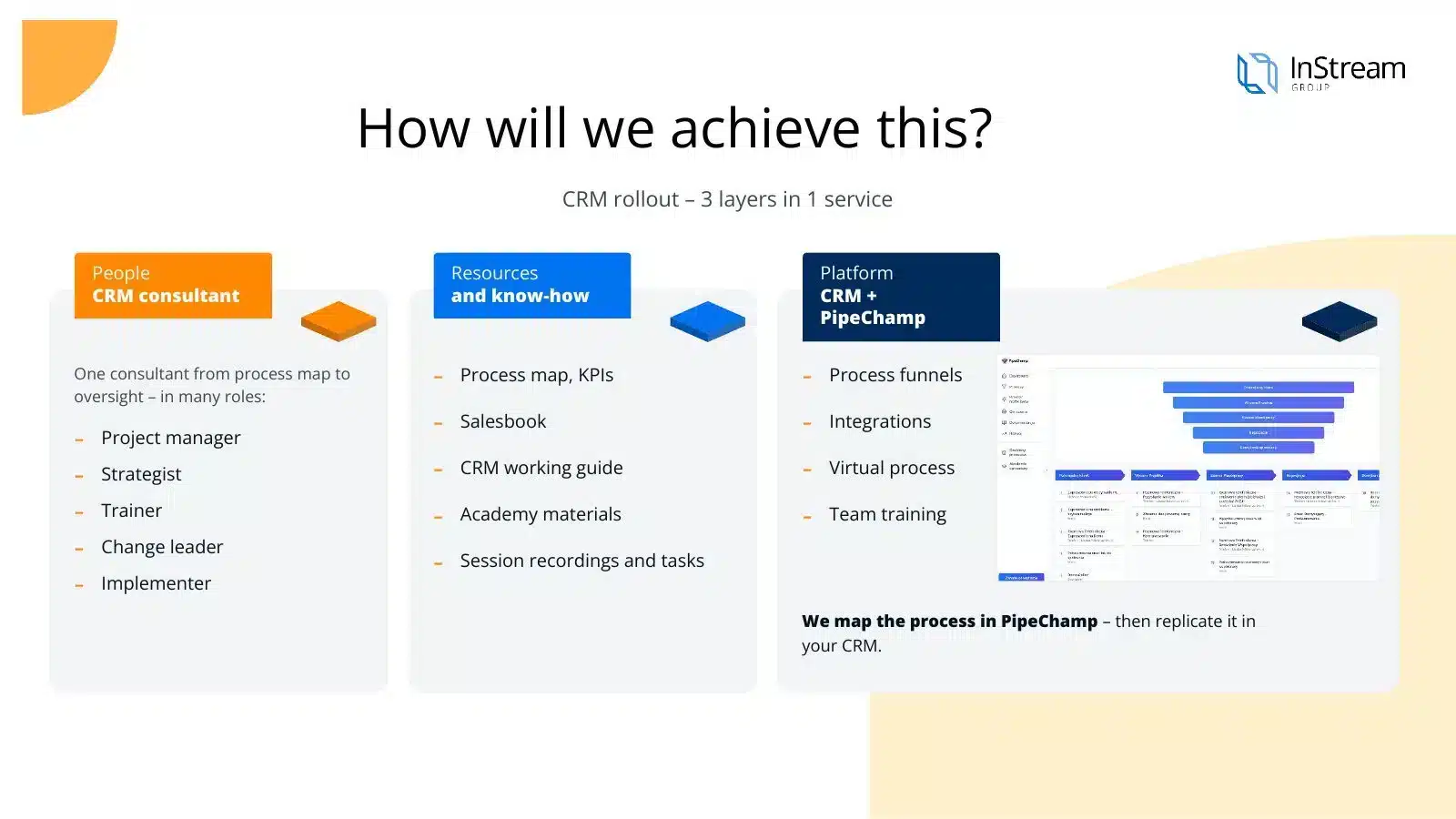
The whole implementation is run by one consultant who has known your company since the first conversation. You get ready process documentation and materials for the team from us. We first map the process in PipeChamp and only then transfer it to the chosen CRM.
We work with many CRM vendors, so we advise without being tied to one solution. The recommendation depends on your process, budget and the way your team works. If the best system for you is the one we earn least on, we'll say so plainly.
We guide you through the whole project: from understanding how you sell to support after the system goes live. We represent you in talks with vendors and help negotiate terms. The decision is always yours.
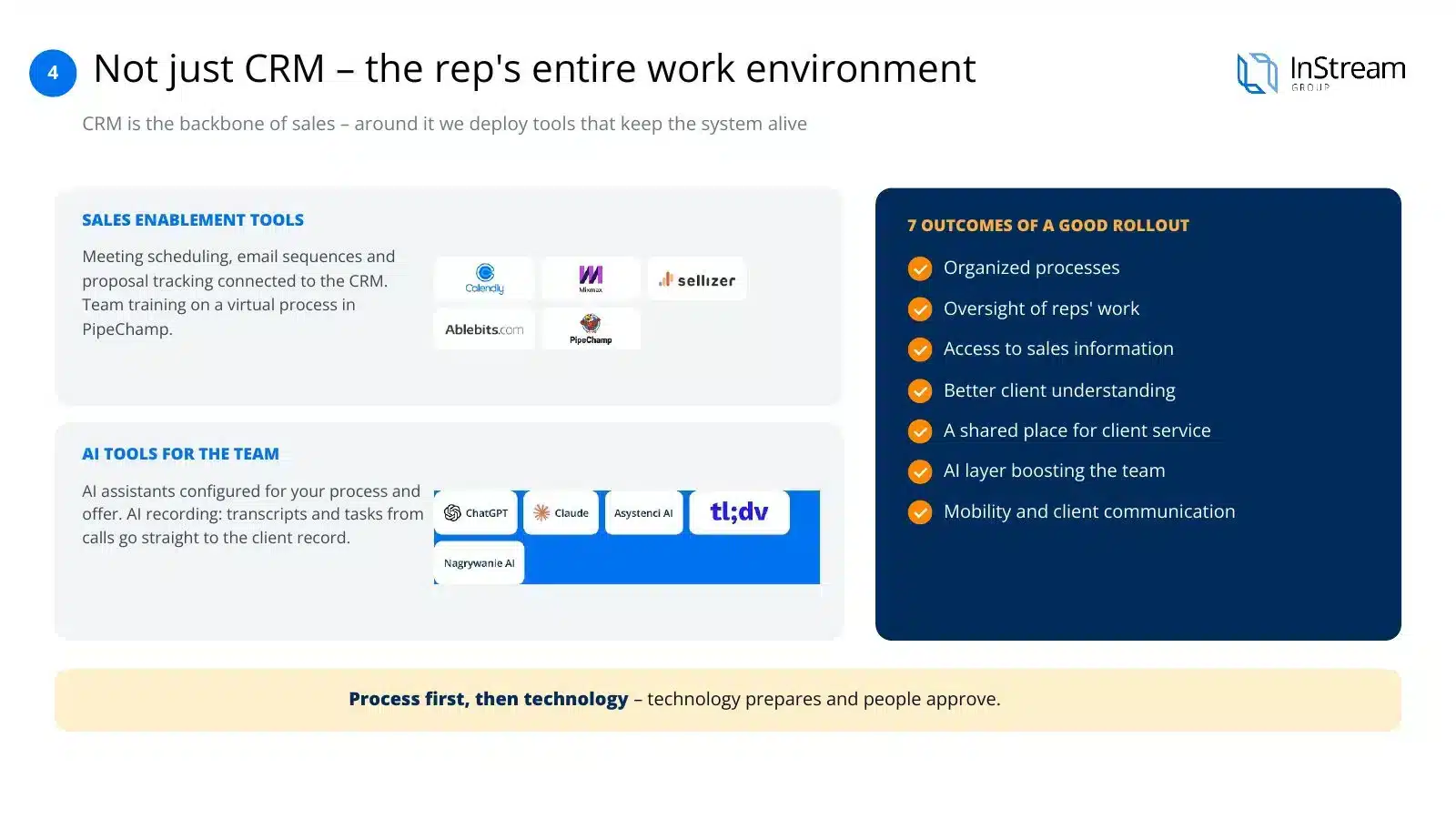
A system only comes alive when the team has tools around it that are useful every day. That's why we connect the CRM with salespeople's work tools and with AI solutions. The result is organised sales and better insight into the team's work.
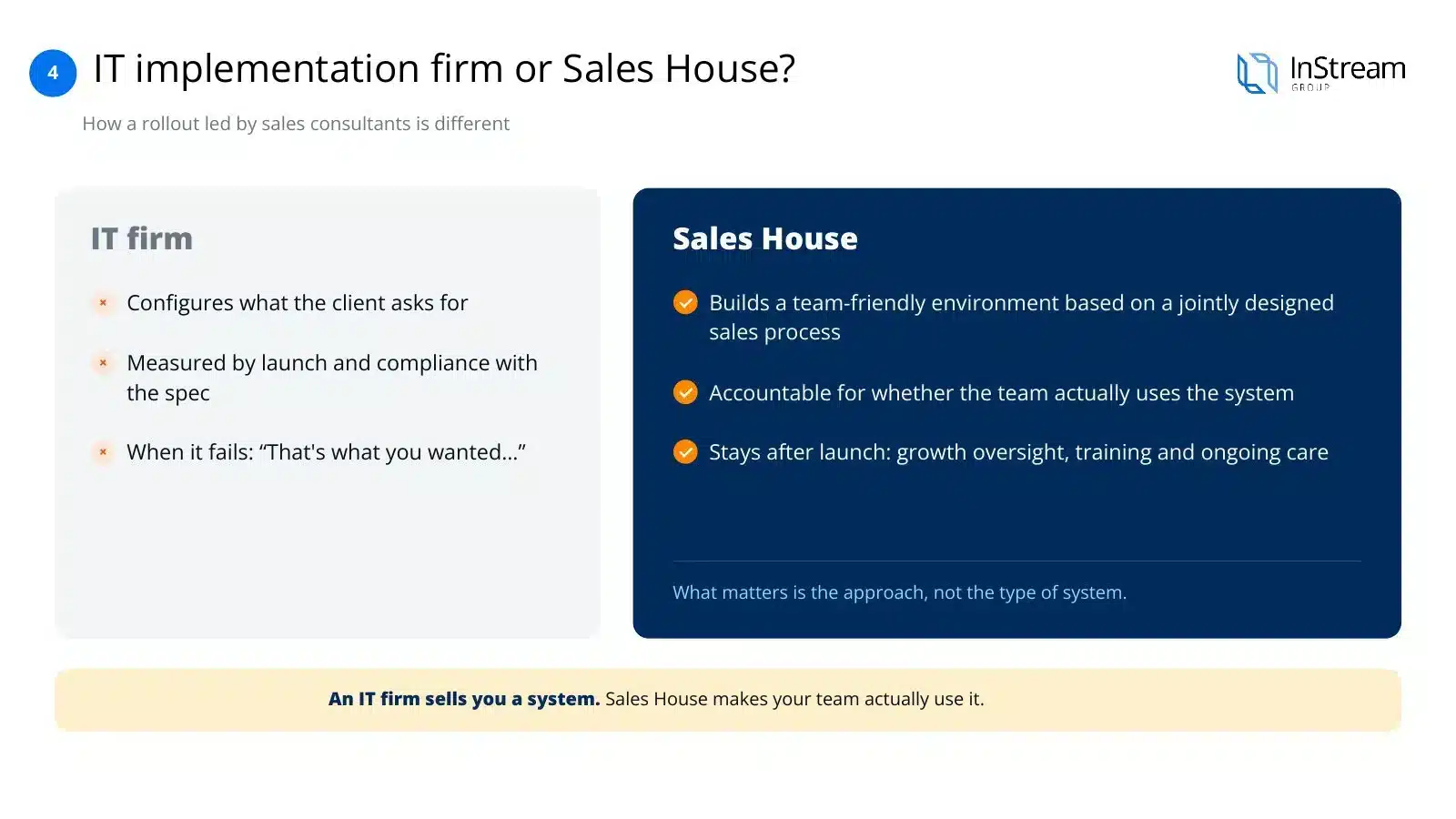
An IT company launches the system according to the specification and ends its work there. We hold ourselves accountable for whether your team really works in the CRM. After launch we stay with you and develop the system together with the company.
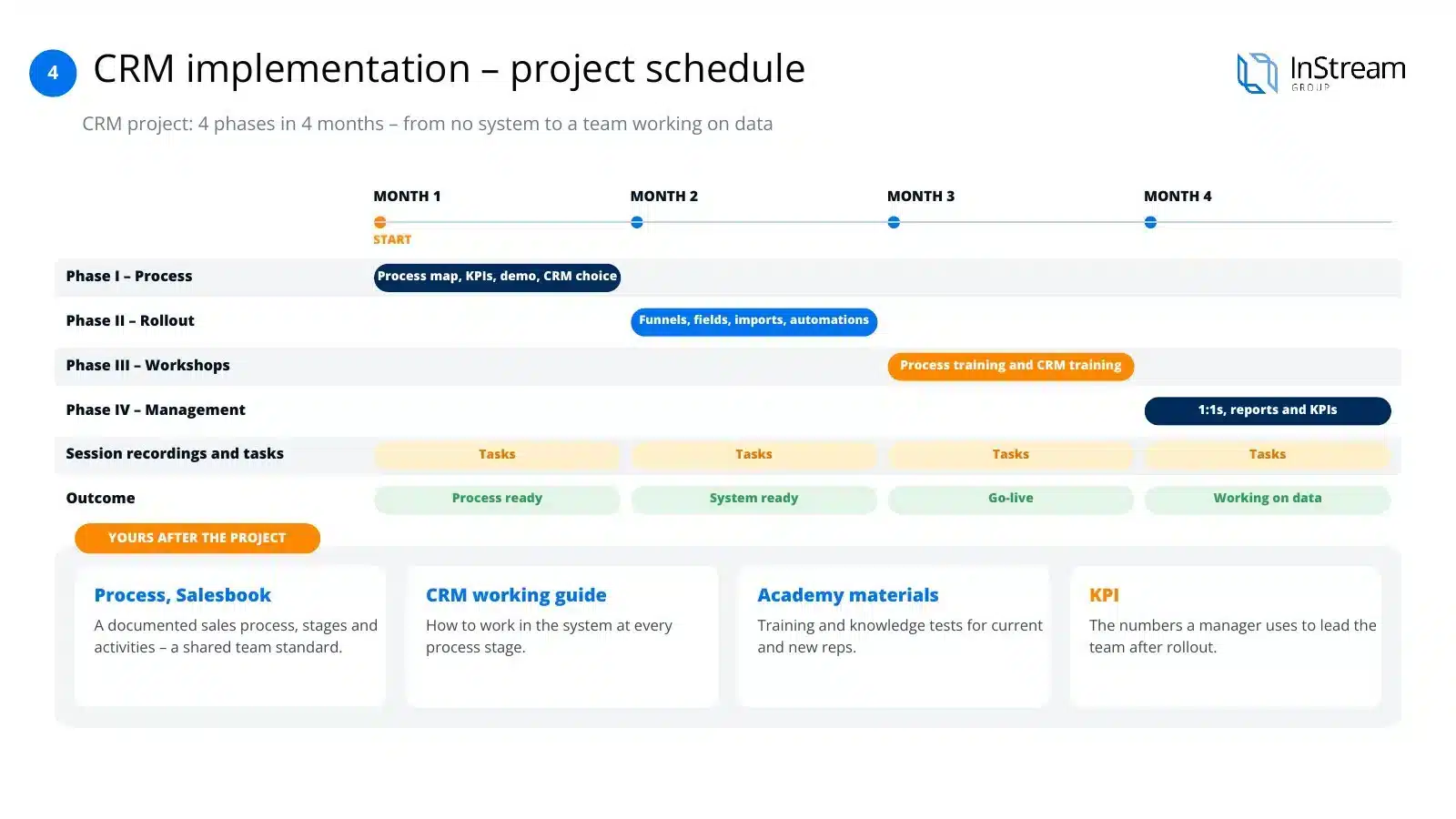
A typical project takes 4 months. Each month ends with a concrete result, until the team starts working with data. After the project, the process documentation and training materials stay in your company.
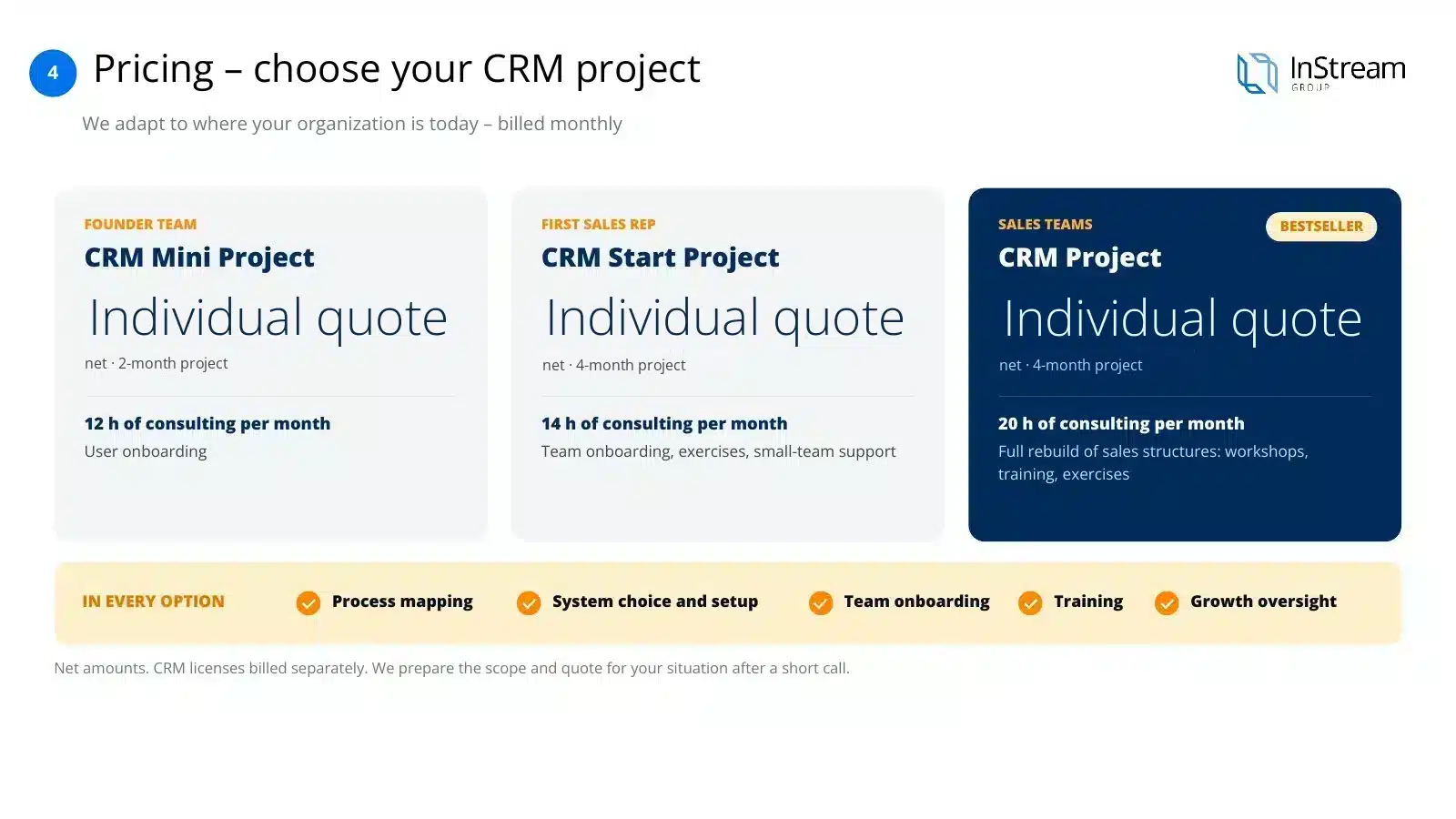
We match the CRM project to your company's stage. We quote each CRM project individually and you pay monthly. We'll prepare the scope for your situation after a short conversation.
CRM modules
Key CRM system modules in 2026
A good CRM is more than a contact database. It is several cooperating modules that guide the salesperson through the process and give the manager numbers for decisions. In 2026 an AI assistant built into the system has also become standard.
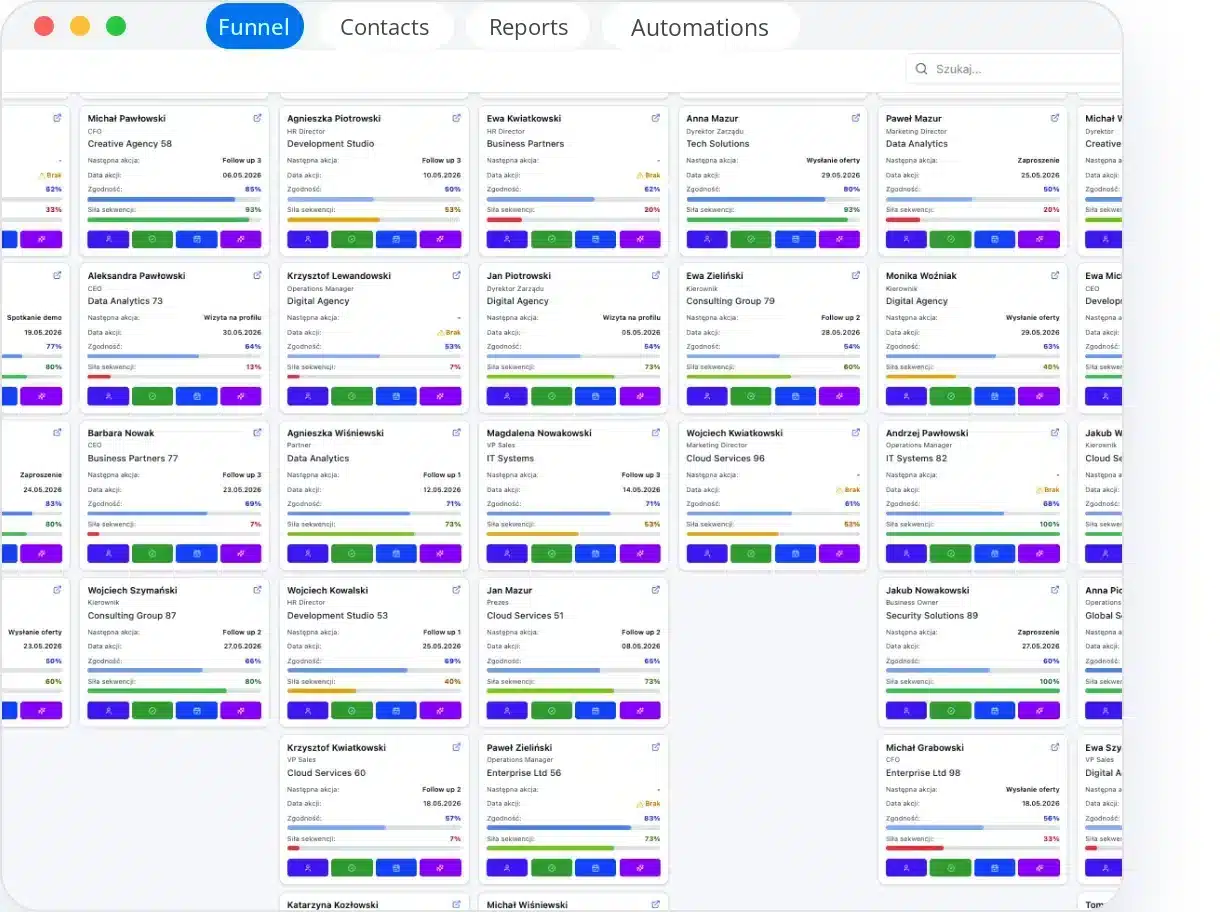
- Sales pipelineProcess stages and opportunities in one view
- Contacts and companiesThe full history of the customer relationship
- Activities and tasksThe salesperson's daily plan and reminders
- Email and telephonyEmails and calls saved with the customer
- Reports and forecastsConversion, results and sales forecast
- AutomationRepetitive steps happen on their own
- IntegrationsConnection with the website, ERP and other tools
- AI assistantSummaries, suggestions and opportunity analysis
Comparing CRM software? We will tell you which CRM fits your pipeline and budget.
Book a CRM consultationSee CRM implementationCRM ranking 2026: the 20 most popular CRM systems (G2 and Capterra)
Compiled from the CRM categories on G2 and Capterra, the two largest independent B2B software review platforms. Ratings change every few weeks, so check the current scores on the platforms before you decide.
| # | System | Segment | Best for | G2/Capterra rating | Strength |
|---|---|---|---|---|---|
| 1 | Salesforce Sales Cloud | Enterprise | Large, complex organisations | 4.3 / 4.4 | The broadest ecosystem and customisation |
| 2 | HubSpot Sales Hub / CRM | Small–Mid | Marketing and sales teams working together | 4.4 / 4.5 | Free start, integration with marketing |
| 3 | Pipedrive | Small–Mid | Teams focused on the sales pipeline | 4.3 / 4.5 | Visual pipeline, fast implementation |
| 4 | Zoho CRM | Small–Enterprise | A full package at a reasonable price | 4.1 / 4.3 | Very broad functionality at a low price |
| 5 | monday CRM | Small–Mid | Teams already using monday.com | 4.5 / — | No-code, visual configuration |
| 6 | Zendesk Sell / Suite | Mid | Sales and customer service together | 4.2 / 4.4 | Strong helpdesk integration |
| 7 | Microsoft Dynamics 365 Sales | Enterprise | Organisations in the Microsoft ecosystem | — / — | Integration with Office, Teams and Power BI |
| 8 | Creatio CRM | Mid–Enterprise | Low-code process automation | 4.7 / — | Flexible low-code for processes |
| 9 | ActiveCampaign | Small–Mid | Marketing automation | 4.4 / — | Marketing and sales automation |
| 10 | Close | Small–Mid | Phone and outbound sales | 4.7 / — | Built-in dialer, speed of work |
| 11 | Bigin by Zoho | Micro–Small | Very small teams, a first CRM | 4.6 / 4.7 | Simplicity, low entry price |
| 12 | SAP Sales Cloud | Enterprise | Companies in the SAP ecosystem | 4.2 / — | Integration with SAP ERP |
| 13 | Nutshell | Small–Mid | Small teams looking for simplicity | 4.3 / — | Affordable price, ease of use |
| 14 | EngageBay | Small | Startups and micro-businesses | 4.6 / 4.6 | All-in-one at a low price |
| 15 | Copper | Small–Mid | Companies on Google Workspace | — / 4.4 | Native integration with Gmail and Google |
| 16 | Odoo CRM | Small–Enterprise | CRM as part of a larger ERP | — / 4.2 | A module within the full Odoo ecosystem |
| 17 | Keap | Small | Micro-businesses, freelancers | — / 4.1 | E-commerce and follow-up automation |
| 18 | Bitrix24 | Small–Mid | CRM, messenger and tasks in one | — / — | A very broad package for one price |
| 19 | Vtiger CRM | Small–Mid | An open, configurable alternative | — / — | Flexibility at a lower cost |
| 20 | Insightly | Small–Mid | Sales and project management | — / — | CRM and project management in one |
20 criteria we use to assess every system
Sales pipeline functionality, contact and company management, process automation, reporting and dashboards, email integration, telephony integration, ERP and accounting integration, mobile app, offline work, AI tools, ease of configuration without a developer, implementation time, licence price, implementation cost, maintenance cost, quality of technical support, availability of implementation partners, GDPR compliance, scalability as the team grows, flexibility to adapt to the industry.
Polish CRM systems: 10 solutions developed in Poland
A separate list of systems built and developed in Poland. They are a good choice for companies operating in Poland, when Polish-language support, compliance with local regulations and integrations with Polish invoicing and payment tools matter.
Livespace
For: Small and medium-sized B2B companies
Our certified partner, a pipeline tailored to the B2B process
The Polish CRM market changes quickly. Check the vendor's current offer and price list before you decide.
CRM systems at InStream
Which CRM systems we implement at InStream
More than 250 CRM implementations and partnerships with 8 systems, including certified partnerships with Pipedrive, Livespace and Bitrix24. We work with systems from SaaS for small teams to Enterprise, so we choose the tool for your process, not for one vendor.
- Pipedrive implementationGold Pipedrive partner, pipeline and automations→
- Livespace implementationGold Livespace partner, a B2B CRM→
- HubSpot implementationMarketing and sales in one system→
- Salesforce implementationLarge organisations and complex processes→
- Dynamics 365 implementationCompanies in the Microsoft ecosystem→
All systems and how the project runs: CRM implementation services
One consultant runs the CRM implementation. One person, many roles
From the first conversation to supervision after launch, the same person works with your company. We don't hand the project between departments, so nothing gets lost along the way.
Project manager
Oversees the project, records meetings and keeps track of tasks and the schedule until the team works in the system every day.
Strategist
Maps the sales process, roles and decisions, writes down the CRM requirements and recommends a system that fits how you really work.
Trainer
Runs CRM workshops and 1:1 sessions with salespeople and leaders, including on a virtual process in PipeChamp.
Change leader
Sets KPIs, analyses reports and supports managers, because the implementation only ends when the team actually works in the system.
Implementer
Configures the CRM to the process map, migrates data and implements integrations, sales tools and an AI layer.
Types of CRM
Types of CRM systems: SaaS, Enterprise and built from scratch
CRM systems are divided in two ways: by delivery model and by the function they serve in the company. The first decides the cost and time of implementation, the second what the system will be used for.
SaaS for small and medium companies
Licensed, configurable, online. Fast start, lower entry cost, regular updates from the vendor. Most good choices for SMEs fall into this group.
Enterprise for large organisations
Large systems, full IT implementation projects, company-wide integrations. They require an IT team on the client side and a longer implementation.
Open source and built from scratch
Systems built for a company from the ground up. They tempt with full control and a seemingly low cost, but today they are an increasingly poor idea. More in the section below.
Operational CRM
Used for: Runs day-to-day sales, marketing and customer service
Example: Pipeline, salespeople's tasks, reminders, automatic follow-ups
Analytical CRM
Used for: Turns customer and sales data into decisions
Example: Stage conversion, revenue forecast, customer segmentation
Collaborative CRM
Used for: Connects departments and contact channels around one customer record
Example: Shared customer history for sales, marketing and service
Modern CRM systems combine all three functions. They differ in which one is strongest.
We implement Pipedrive, HubSpot, Livespace, Salesforce and Microsoft Dynamics 365 together with your process and team training.
Book a CRM consultationPipedrive implementationWhat a CRM built from scratch really costs, AI included
The IT department often argues that building your own system with AI is cheap and simple today. In practice it is one of the most expensive decisions a company can make in sales:
No support
When something breaks, there is no support line. There is only the developer who wrote it, if they still work at the company.
High maintenance costs
“Cheap” at the start means expensive later: every process change is another piece of code to write and test.
IT doesn't know sales
The IT department knows technology, not sales. A system designed without sales knowledge reflects how IT imagines sales, not how it actually works.
No integration or mobility
Systems written from scratch rarely have polished integration with email, telephony or a mobile app. What is standard in ready-made systems has to be built here first.
Do the maths
What does your own CRM really cost?
Tick the costs that fall on your company with your own system. On the right you will see who bears them with a ready-made CRM from a market leader.
Ready-made systemA ready-made CRM from a market leader
- Software changeson the vendor's side, included in the subscriptionVendor
- Servers and maintenanceon the vendor's side, included in the subscriptionVendor
- Updates and securityon the vendor's side, included in the subscriptionVendor
- Fitting the processon the vendor's side, included in the subscriptionVendor
- Failures and downtimeon the vendor's side, included in the subscriptionVendor
- Technology gapson the vendor's side, included in the subscriptionVendor
- Managing external technologyon the vendor's side, included in the subscriptionVendor
A predictable subscription. Development, servers and security are handled by a vendor with scale.
That is why we work with ready-made systems from market leaders
A large partner with scale develops the system, maintains the servers and is responsible for security. You pay for using the CRM, not for building and maintaining it.
How we implement a CRM: 8 steps with one consultant
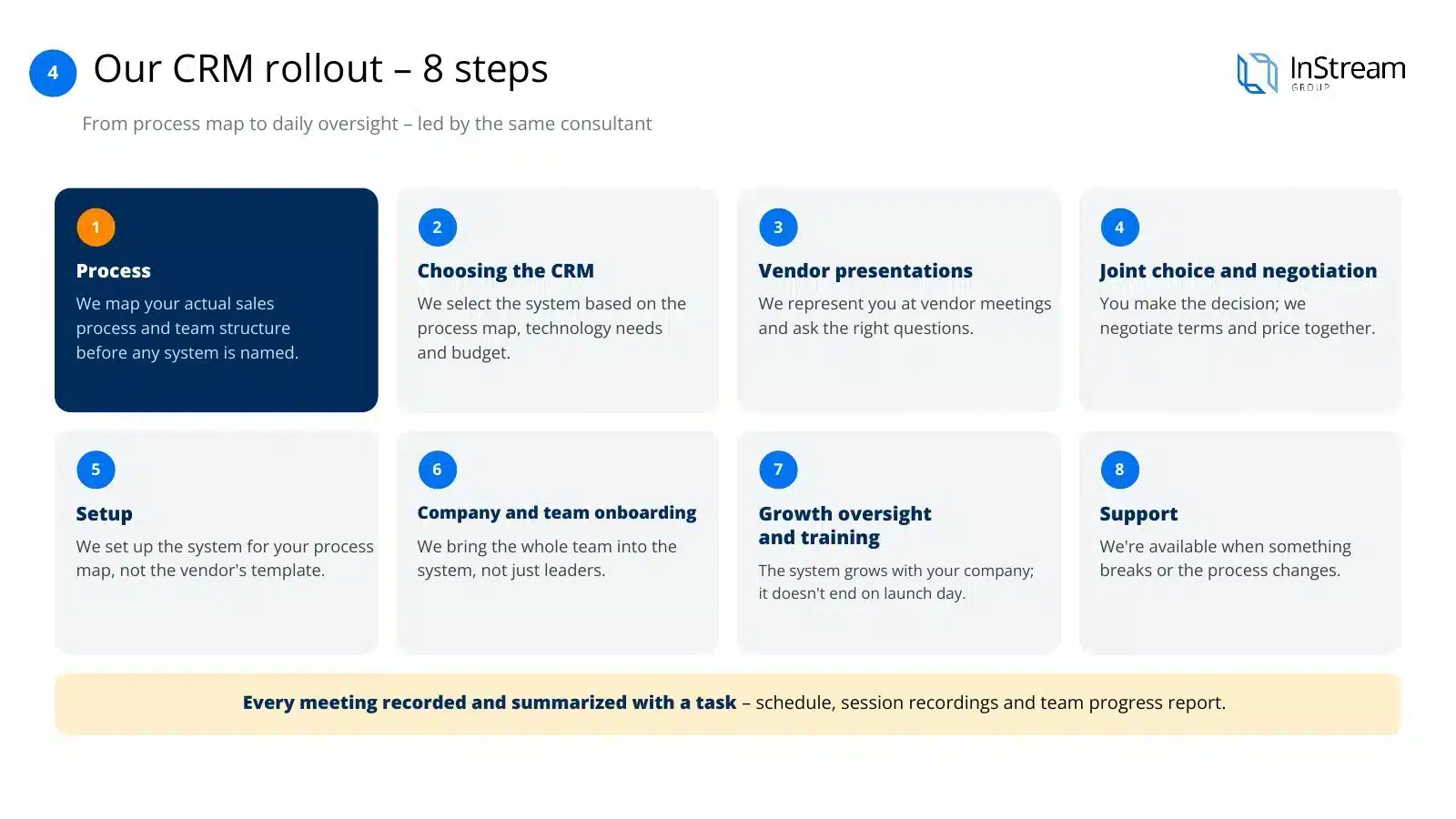
Eight steps, from the process map to day-to-day supervision, run by the same consultant. Each stage is described in detail on the CRM implementation page.
- 01
Process
We map your actual sales process and team structure before the name of any system comes up.
- 02
Choosing the CRM
We choose the system based on the process map, technology needs and budget, not a predetermined list.
- 03
Vendor presentations
We represent you at meetings with vendors and ask questions you might not ask yourself.
- 04
Joint choice and negotiation
You make the decision, and we negotiate the terms and price together with you.
- 05
Configuration
We set up the system for your process map, not for the vendor's default template.
- 06
Onboarding the company and teams
We bring the whole team into the system, not just the leaders.
- 07
Development supervision and training
The system develops together with the company and does not end on launch day.
- 08
Support
We are there when something doesn't work or the process changes.
What to expect after a CRM implementation
Seven concrete results, if the implementation is done well. The first ones usually show after a few weeks of the team working in the system every day.
Organised processes
One shared way of working instead of five versions of the same process in salespeople's heads.
Oversight of sales work
The manager sees what is happening in the pipeline instead of asking for status updates in meetings.
Access to sales information
Customer data, contact history and opportunities in one place.
Better understanding of customers
The full history of the relationship, not fragments in emails and individual people's memory.
One place for customer service
Sales and service work on the same data.
AI layer
Strengthening the team's skills in service and sales, not replacing people.
Mobility and communication
Email and phone connected to the system, work from anywhere.
We will calculate licence and implementation costs for your team.
Request an implementation quoteHubSpot implementationWhat a CRM costs including implementation
The total cost of a CRM system is licences plus implementation. You pay the licence every month for each user and the implementation once or in a few monthly instalments. Indicative market ranges for implementation, depending on company size and scope:
Micro and small companies
From €3,500 to €11,500
Medium and large companies
From €11,500 to €23,000
Enterprise
Always an individual quote, depending on the scale of integration and the number of users
Work out the licence cost for your team in the CRM licence calculator below. The full description of our implementation and its pricing is on the CRM implementation page.
CRM with an IT company or a Sales House: how they differ
IT company
- Configures what the client asks for
- Is accountable for launch and compliance with the specification
- When something doesn't work: “That's what you asked for...”
Sales House
- Builds a team-friendly environment based on a sales process designed together beforehand
- Is accountable for whether the team actually uses the system, not just whether the system works
- Stays after launch: development supervision, training, oversight
An IT company sells you a system. A Sales House makes sure your team actually uses it.
How we bill a CRM implementation project
We bill CRM implementation in the same model as Sales Booster: monthly, with the number of consulting hours matched to the size of the team.
Small implementation
First salesperson
2 months, 12 h of consulting work per month
For a founding team bringing in its first sales hire.
Medium implementation
Founding team and first salesperson
4 months, 14 h of consulting work per month
For growing teams at an early stage.
Large implementation
Sales teams
4 months, 20 h of consulting work per month
For a complete rebuild of sales structures.
Each variant includes process mapping, system selection and configuration, team onboarding, training and development supervision, not just field configuration. We prepare the scope and quote for your situation after a short conversation.
Recommendations
Best CRM software for small business and mid-sized B2B companies
Which CRM to choose depends on your situation. This is a starting point for a conversation, not a ready-made decision. The final choice always follows from the map of your sales process.
Small or medium B2B company with a typical sales process
Pipedrive, LivespaceThe fastest implementation and the best value for money
First CRM, a few people in sales
Bigin, Pipedrive, HubSpot (free plan)Low entry price and a simple start
Marketing and sales need to work together
HubSpot, Zoho CRMLeads, campaigns and pipeline in one system
Large organisation, complex processes and integrations
Salesforce, Zoho CRM (Enterprise), Microsoft Dynamics 365Scale and integration complexity justify the higher implementation cost
CRM, messenger and tasks in one package
Bitrix24A broad package at a fixed price for the whole company
Company operating in Poland, local support matters
Livespace or another Polish CRMPolish-language support and integrations with local tools
If the best system for you is the one we earn least on, we will tell you so plainly.
Calculator
CRM licence calculator: CRM pricing compared
Enter the number of users and choose a plan level. The calculator works out the monthly and annual licence cost in five popular systems based on the vendors' list prices.
Your team
the values in the fields are examples
Licence cost for 10 users
| System | Basic | Extended | Advanced |
|---|---|---|---|
| Pipedrive | Lite $14 | Growth $39 | Ultimate $79 |
| HubSpot Sales Hub | Starter $20 | Professional $90 | Enterprise $150 |
| Zoho CRM | Standard $14 | Professional $23 | Ultimate $52 |
| Salesforce Sales Cloud | Starter $25 | Pro Suite $100 | Enterprise $175 |
| Bitrix24 (per company) | Basic $49, up to 5 users | Standard $99, up to 50 users | Professional $199, up to 100 users |
| Livespace | price on request from the vendor | ||
Vendors' list prices per user per month with annual billing, excluding VAT, as of 13 November 2026. Bitrix24 charges per company. Zoho and HubSpot also have free plans with limitations. Vendors change their price lists, so check current prices on their websites before you decide. The calculator does not store your data.
A CRM your team uses every day starts with a good implementation.
Book a CRM consultationHow we implement CRMAI in CRM
AI in CRM: what you can realistically expect in 2026
AI assistants are now built into most CRM systems. They deliver the most where they take retyping and searching for information off the salesperson's plate. They will not replace the sales process or the conversation with the customer.
Call and email summaries
Meeting notes and key agreements land in the customer record without manual retyping.
Next-step suggestions
The system suggests who to call today and which deals have been stuck at one stage for too long.
Deal scoring and forecasting
Scoring deals based on history helps the manager see what will really close.
Email and follow-up drafts
The assistant prepares a draft message, which the salesperson edits and sends.
Clean data
Filling in missing fields, detecting duplicates and searching for information in plain language.
Team performance analysis
Answers to questions about the pipeline and activity without building a report from scratch.
When AI in CRM works
- The sales process is documented and reflected in the system
- The team logs activities every day, so AI has something to work with
- A person checks suggestions before anything goes to the customer
What AI won't do
- It won't fix a missing process or poor lead qualification
- It won't produce good forecasts from empty or outdated data
- It won't replace the salesperson's conversation with the customer
Frequently asked questions about CRM
What is CRM?
CRM (Customer Relationship Management) is a system for managing customer relationships and the sales process. It brings contacts, companies, calls, emails, offers and sales opportunities together in one place, guides salespeople through the stages of the funnel and gives managers the data they need to make decisions.
Is CRM software the same as a CRM system?
Yes. CRM software, a CRM system and a CRM platform describe the same tool: an application in which your team manages customers, sales opportunities, tasks and reports. A CRM for small business is usually a simpler plan of the same kind of software, with fewer users and automations.
What is a CRM system used for?
A CRM system is used to run sales through the stages of the funnel, plan salespeople's work, record the history of contact with each customer, report on and forecast sales, and connect sales, marketing and customer service around one customer record.
How is a CRM different from a spreadsheet?
A spreadsheet stores a list of customers, while a CRM runs the whole sales process: it reminds you about follow-ups, records calls and emails with the customer, lets the whole team work on one database and calculates conversion and forecasts without manual work. When a salesperson leaves, the customer history stays in the company.
What are the types of CRM systems?
By delivery model, CRM systems are divided into SaaS for small and medium companies, Enterprise systems for large organisations, and open source systems or systems built from scratch. By function, there are operational, analytical and collaborative CRMs. Modern systems combine all three functions.
How much does a CRM system cost?
A licence for popular CRM systems costs from about $14 to $175 (about €13 to €157) per user per month with annual billing, based on vendors' list prices in November 2026. Some systems have free plans with limitations, and many local vendors, such as Livespace, quote prices on request.
How much does a CRM implementation cost?
As a guide, a CRM implementation costs from €3,500 to €11,500 in a micro or small company and from €11,500 to €23,000 in a medium or large company, while Enterprise implementations are always quoted individually. The cost depends on the scope: the process map, configuration, integrations, data migration and team training.
How do you choose a CRM for a company?
First describe your sales process, then compare systems against five criteria: technology needs that follow from the process, integrations, licence and implementation costs, AI tools, and fit with the way your team works. Choosing a system without a process map usually ends with a return to spreadsheets.
Which CRM should a small company choose?
For small and medium B2B companies with a typical sales process we most often recommend Pipedrive or Livespace, because they offer the fastest implementation and good value for money. For a first CRM for a few people, Bigin and the free HubSpot plan also work well.
Is it worth building your own CRM with AI?
In most cases, no. Your own CRM has no support, every process change requires programming, and integrations with email, telephony and a mobile app have to be built yourself. A ready-made system from a market leader shifts development, servers and security to the vendor within the subscription.
How long does a CRM implementation take?
A CRM implementation run by InStream takes from 2 to 4 months, depending on scale: from the sales process map, through choosing and configuring the system, to onboarding the whole team and development supervision after launch.
What does AI add to a CRM?
AI in a CRM summarises calls and emails, suggests the next step, scores deals, helps with forecasting, drafts messages and cleans up data. It works well only when the sales process is documented and the team logs activities in the system every day.
Can you implement a CRM without a documented sales process?
You can, but then the system will reproduce the chaos that already exists. That is why every CRM implementation at InStream starts with a map of the sales process, and only then do we choose and configure the system.
Let's talk about a CRM for your team
In a 30-minute call we will go through your sales process and current tools. We will tell you which system makes sense in your situation and where to start, even if you don't work with us.
- 30 minutes on your process, no obligation
- More than 250 CRM implementations
- Partner of 8 CRM systems
About the author
Filip DuszczakCEO and founder of InStream Group, 17 years in B2B sales. He built a team of 70+ specialists that has supported more than 1,700 companies in sales across 40+ markets.
LinkedIn profile