
Certified Pipedrive partner · CRM implementation 2026
We implement Pipedrive CRM in companies
Pipedrive is a sales CRM built around the pipeline. We implement it together with your sales process, team training and practice in PipeChamp.
- over 250 CRM implementations
- certified Pipedrive partner
- 12 video lessons on configuration
Trusted by 1,700 companies from Poland and around the world
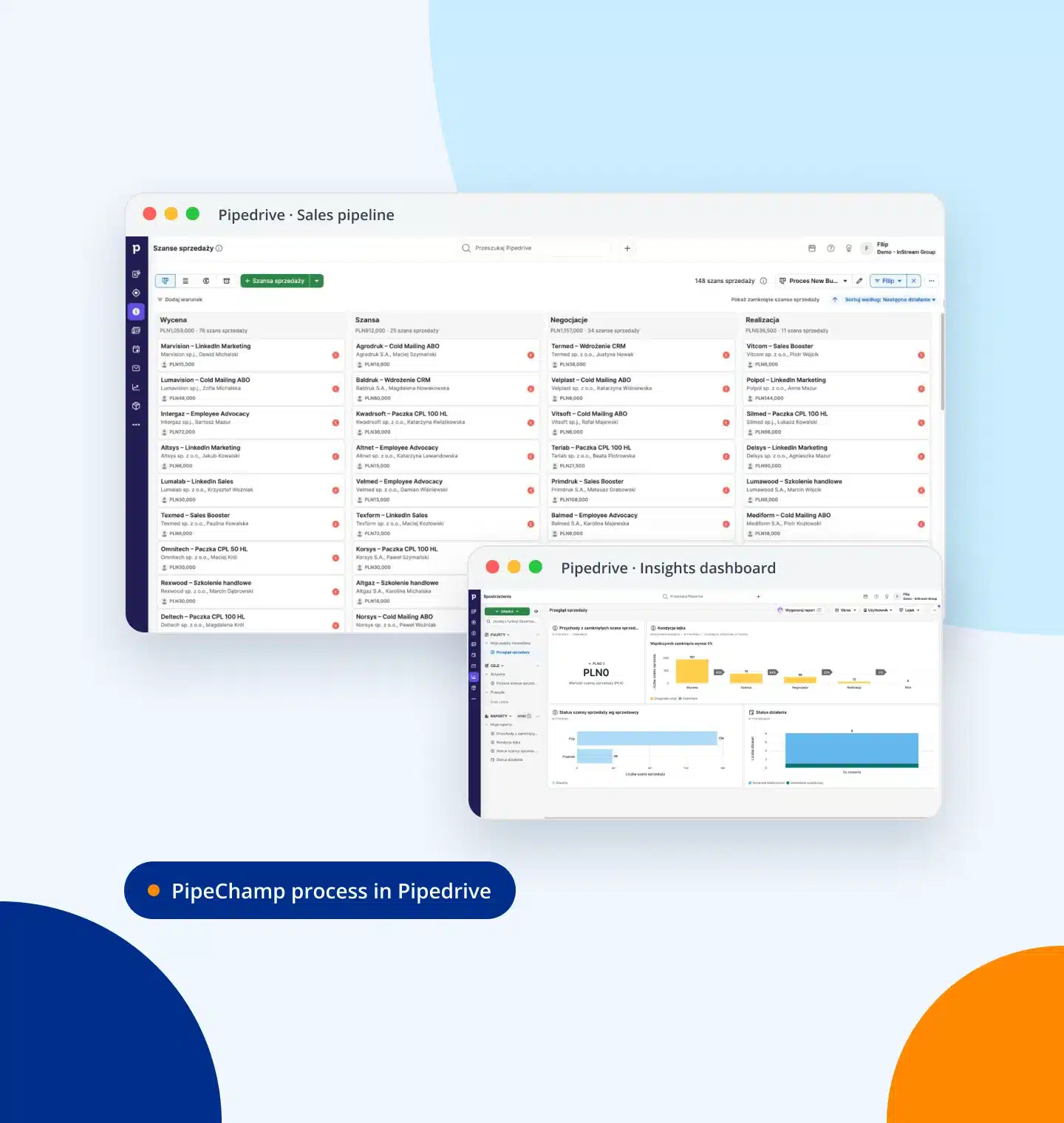
Pipedrive in 90 seconds — see how it works with your sales process
A short demo from the CRM Recommendation module in PipeChamp: how process stages become pipeline columns, where the salesperson sees the next step and which reports the manager gets.
Click to play the demo with sound · 1:27
Pipedrive in a nutshell
What is Pipedrive and who is it for?
Pipedrive is a cloud-based CRM in which every sales opportunity is a card you move between pipeline stages. The team sees what to do today and the manager sees where sales get stuck. If you are still checking what a CRM is and how to choose one, start with our CRM implementation guide.
Who Pipedrive is for
Small and medium-sized B2B companies with a team of a few to several dozen salespeople who sell in a process with clear stages, from lead to contract.
What you get in the system
A sales pipeline, Leads Inbox, contacts and organisations, activities, email, reports and automations. The interface and mobile app are available in many languages.
When to choose another CRM
When you need CRM and ERP in one system or enterprise processes across many departments. Then, based on your process map, we will recommend another system from our 8 partners.
Pipedrive modules
Pipedrive’s main modules
Pipedrive is a set of modules that guide the salesperson through the process and give the manager the numbers for decisions. We configure each of them for your sales process.
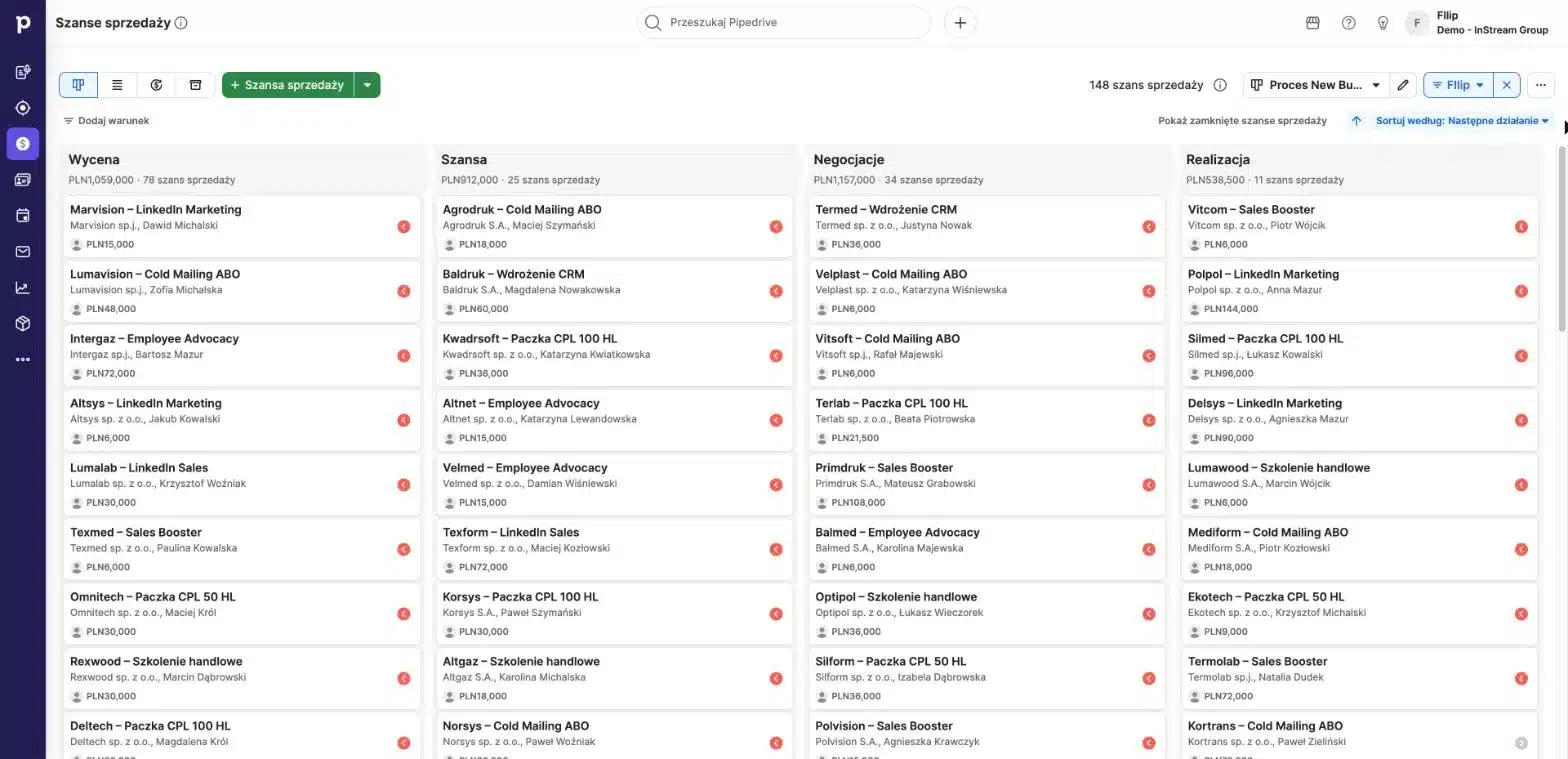
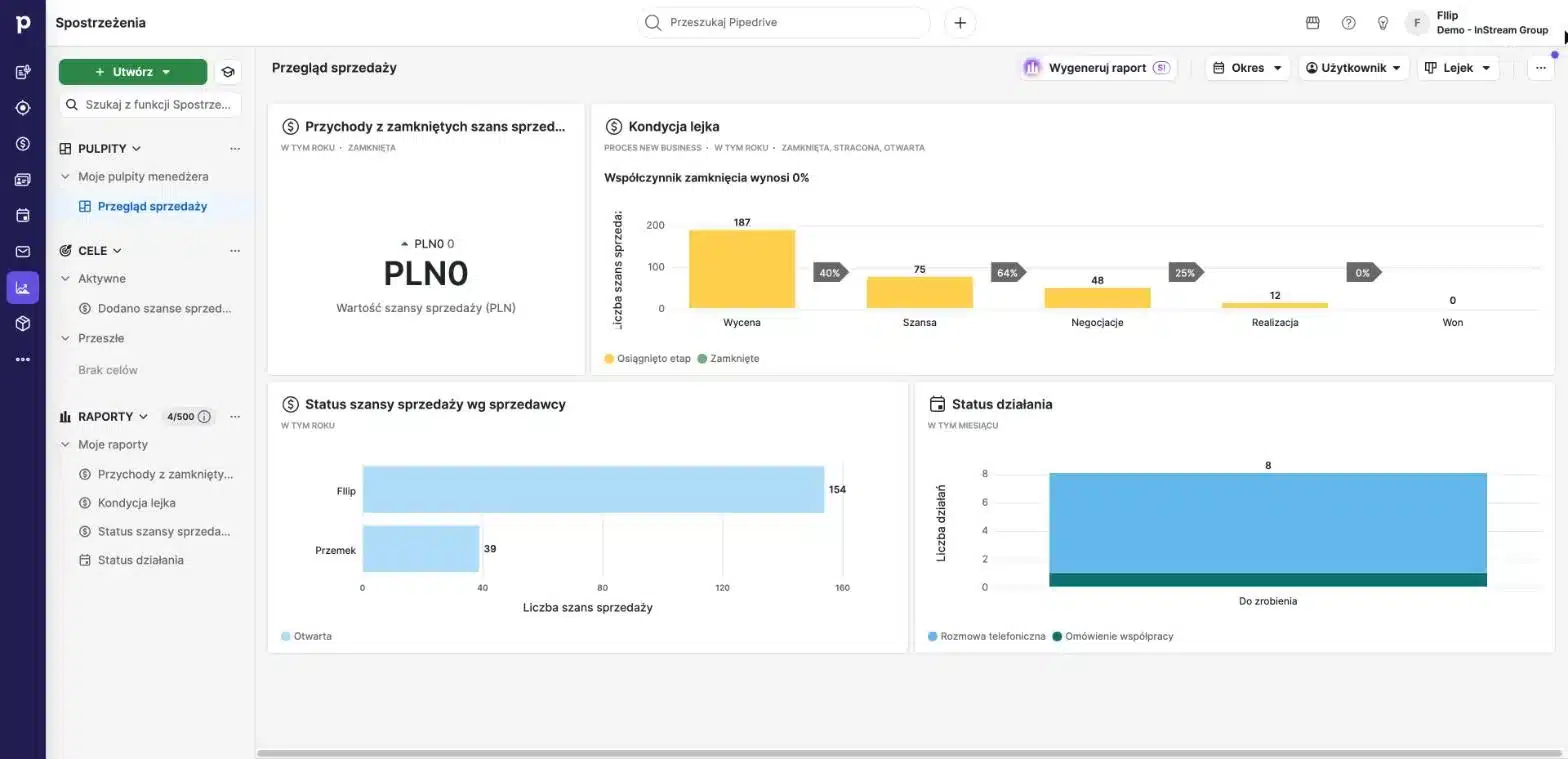
- Sales pipelineStages, deal value and probability in one view
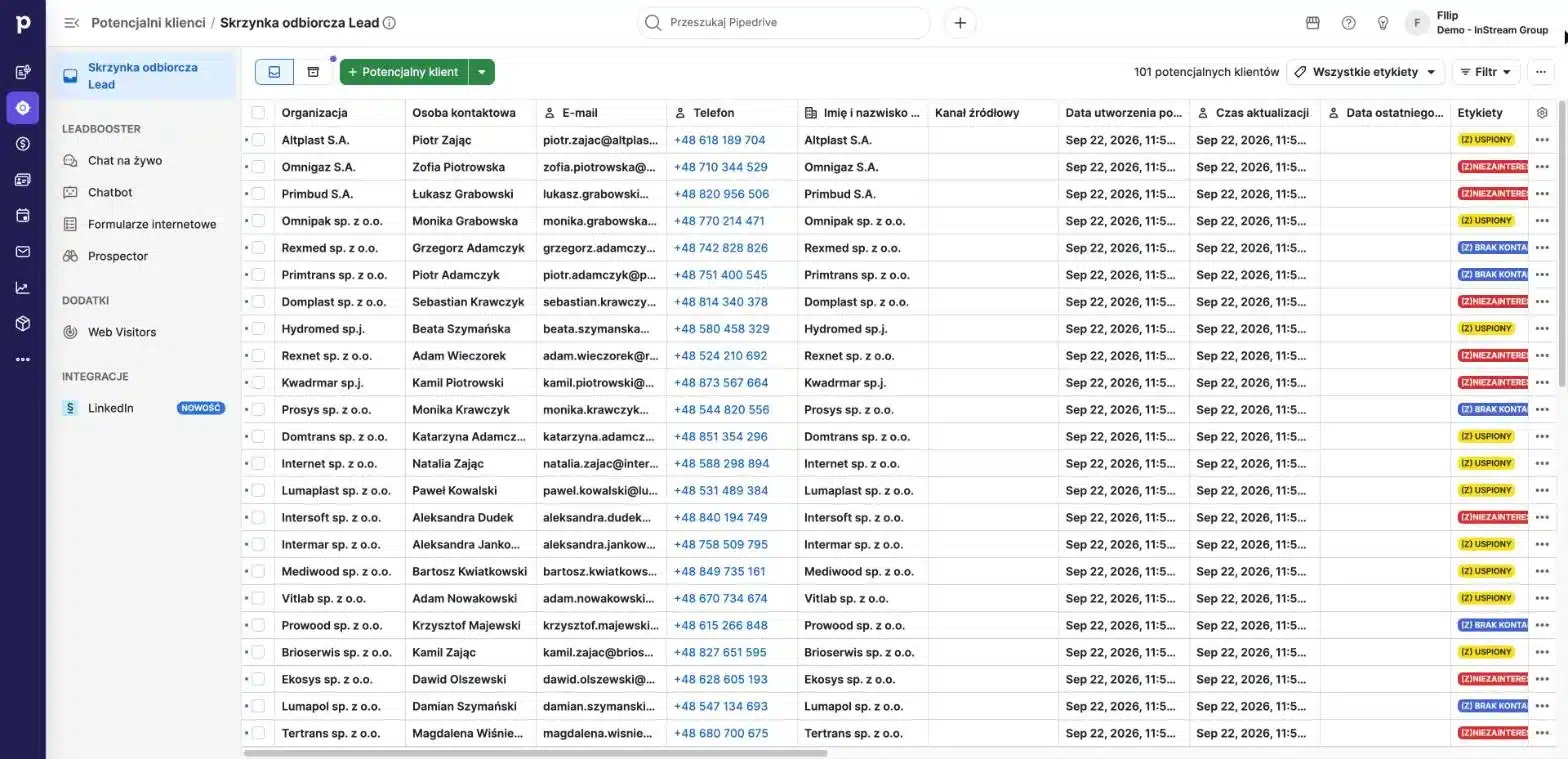
- Leads InboxYou qualify new enquiries before they enter the pipeline
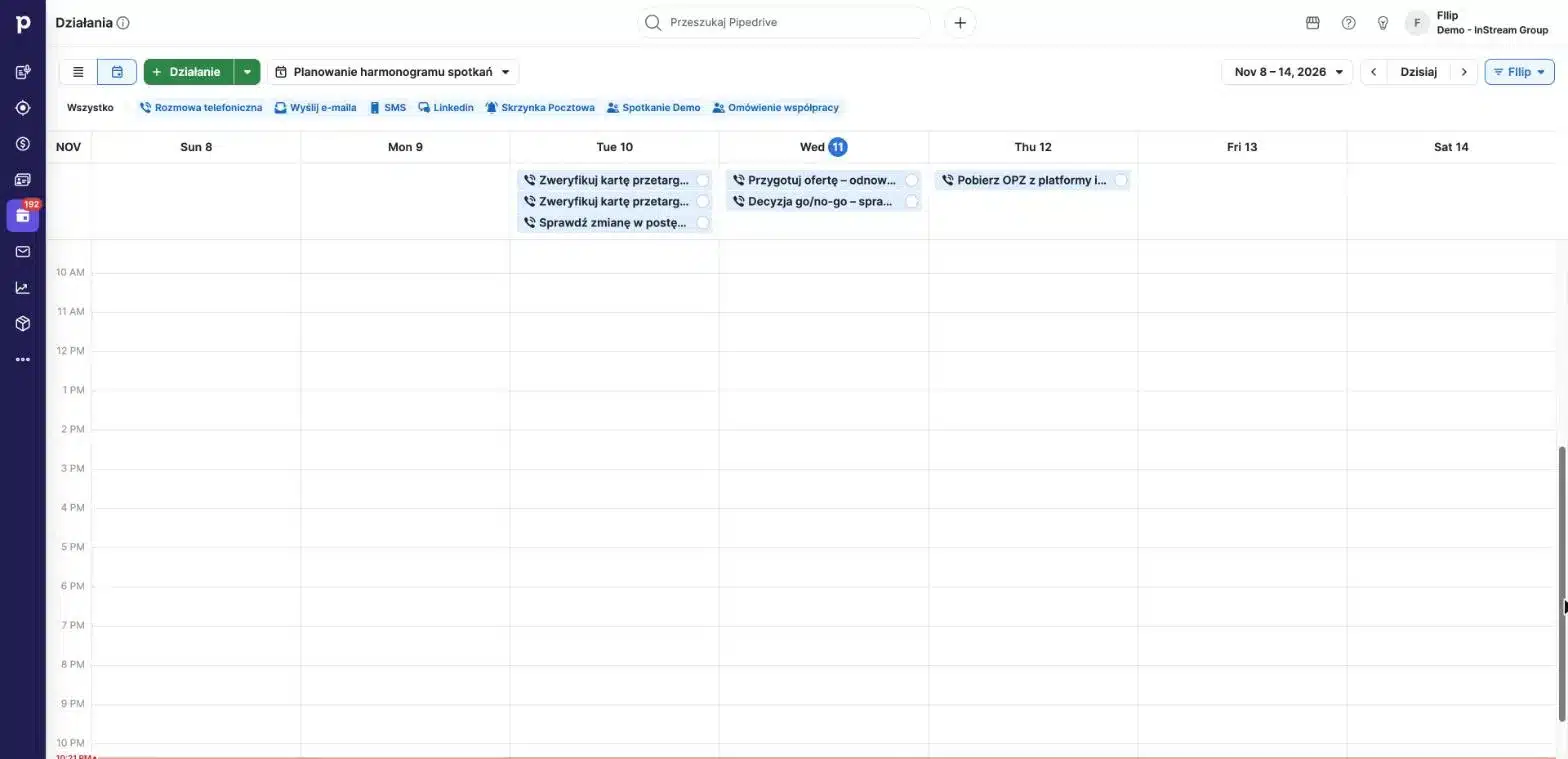
- Activities and calendarCalls, meetings and follow-ups with due dates
- Email and phoneMailbox sync and calling from the deal card
- Insights reportsPipeline health, salesperson results and forecast
- AutomationsRepetitive steps run on their own
- IntegrationsForms, invoicing, telephony and marketing tools
- AI assistantSuggestions, summaries and deal priorities
Learning mode in PipeChamp
Go through the Pipedrive sales process before you implement it
A ready-made process, “Sales Process – Pipedrive”, is waiting in PipeChamp: 5 stages matching the default Pipedrive pipeline 1:1, 12 actions with scripts and follow-ups, and a narrator who guides you through every step. Your team practises exactly what it will later see in the CRM.
- 5 stages as in the Pipedrive pipeline: from Qualified to Negotiations
- Call scripts, emails and follow-ups for every action
- Learning mode with audio narration and KPIs for each stage
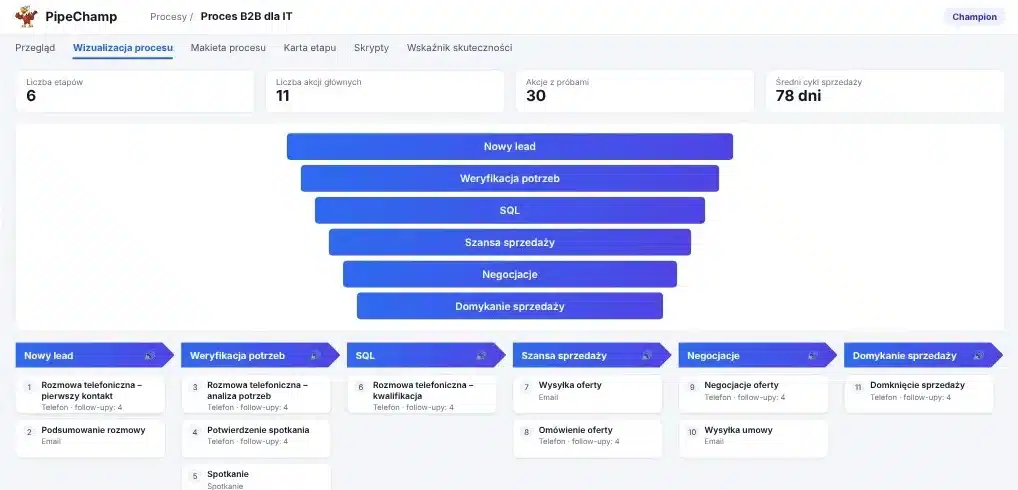
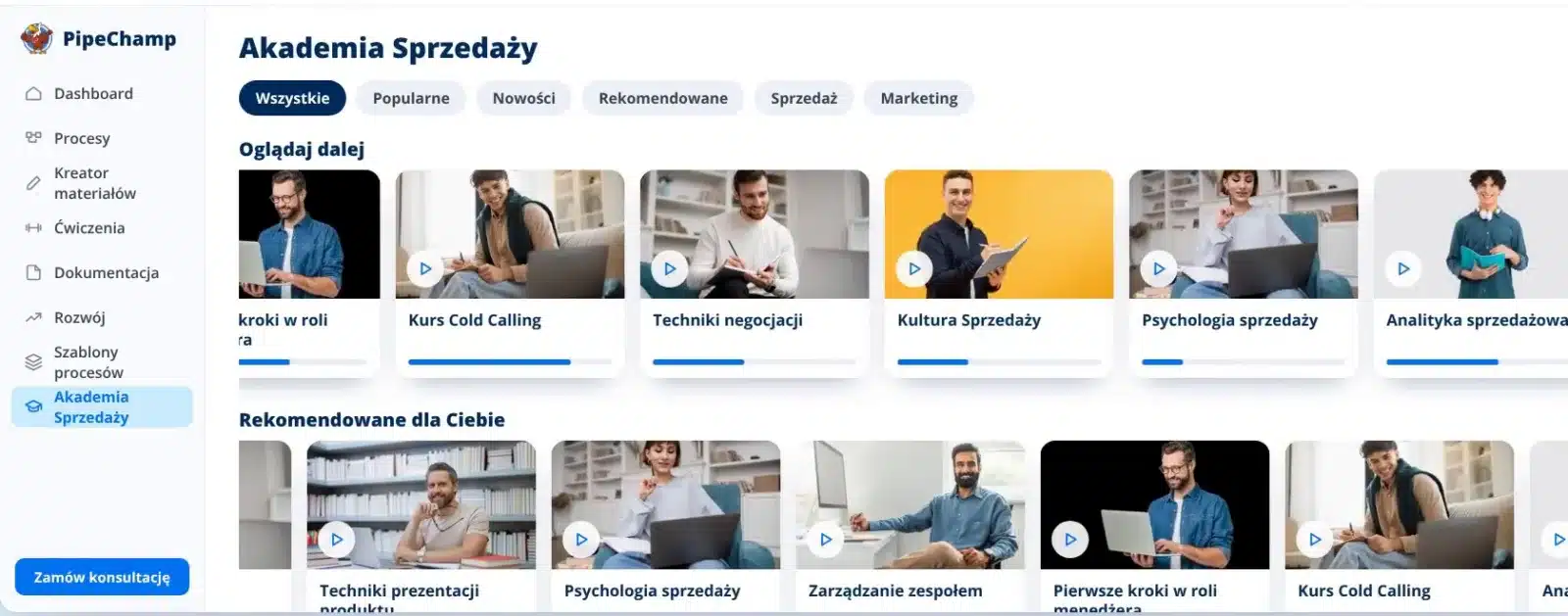
- Virtual process
- Scripts
- Audio narration
- Stage KPIs
Project schedule
Sample Pipedrive implementation schedule
This is what a typical 4-month project for a sales team looks like. Smaller implementations take 2 months, with the steps in the same order.
- 01Month 1Process mapping and specificationWe document the process, stages, fields and integrations. The implementation documentation is created.
- 02Representing you with the vendor and negotiating pricesWe talk to Pipedrive on your behalf and negotiate the licence terms.
- 03Month 2Project kick-offWe set up the account, roles and the work schedule with your team.
- 04ImplementationWe configure the pipeline, fields, data import, integrations and automations.
- 05Month 3TestingWe run the process on real data and fine-tune the settings.
- 06PracticeThe team practises the process in PipeChamp’s learning mode and in the video lessons.
- 07Month 4Working with the team1:1 sessions and supervision of the first weeks of work in Pipedrive.
- 08Project handoverWe hand over the system, documentation and SalesBook. We stay on for support.
How we implement Pipedrive — 8 steps
Eight steps, from the process map to day-to-day work in Pipedrive, led by the same consultant:
- 01
Process
We map your sales process and team structure before we start setting up the system.
- 02
Pipeline and stages
We design pipelines, stages, probabilities and rotting thresholds for your process.
- 03
Fields and permissions
We set up fields for people, organisations and deals, table views and team roles.
- 04
Data import
We move contacts, organisations and deals from spreadsheets or your previous CRM.
- 05
Integrations
We connect email, calendar, phone and the tools your team uses.
- 06
Automations and reports
We build automations, Insights dashboards and reports for the manager.
- 07
Training and practice
We train the whole team, and you practise the process in PipeChamp’s learning mode.
- 08
Supervision and support
We keep the new habits in place and develop Pipedrive together with your company.
Pipedrive step by step — 12 video lessons
Basic training from the PipeChamp Academy: from the menu layout to process scripts on every deal. Everyone on the team goes through it at their own pace.
- 01Menu structure and layout1:53
- 02Leads, pipeline and customers1:31
- 03Configuring the pipeline and table view1:26
- 04Contacts – editing fields1:20
- 05Leads and deals – table fields1:12
- 06Importing contacts, leads and deals1:16
- 07Integration – mailbox and phone1:14
- 08Activities, reminders and notes1:25
- 09Follow-up and calendar1:15
- 10Reporting – the basics1:24
- 11Matching the CRM to your process in PipeChamp1:25
- 12PipeChamp scripts in the CRM1:13
12 lessons · approx. 17 minutes · recorded on a real Pipedrive account
How to prepare for a Pipedrive implementation — 5 steps
A good implementation starts before the first login. We prepare these five things together at the start of the project.
- A documented sales processStages, exit criteria and what the salesperson does at each stage.
- Data to migrateSpreadsheets or an export from your previous system: organisations, people, deals and contact history.
- A list of integrationsEmail, calendar, phone, forms, invoicing and marketing tools.
- A system ownerA person on your side who approves the settings and administers Pipedrive after the implementation.
- Goals and KPIsWhat the manager should see in reports from the first week of working in the CRM.
SalesBook and specification
A process SalesBook to test and a specification in 2 hours
In 2 hours we write the specification with you: process, stages, fields, integrations and reports. This conversation produces the implementation documentation and a process SalesBook you can review and test before we set anything up in Pipedrive.
- Implementation specification in a single 2-hour session
- Documentation of the process and Pipedrive settings
- A SalesBook with scripts to test before launch
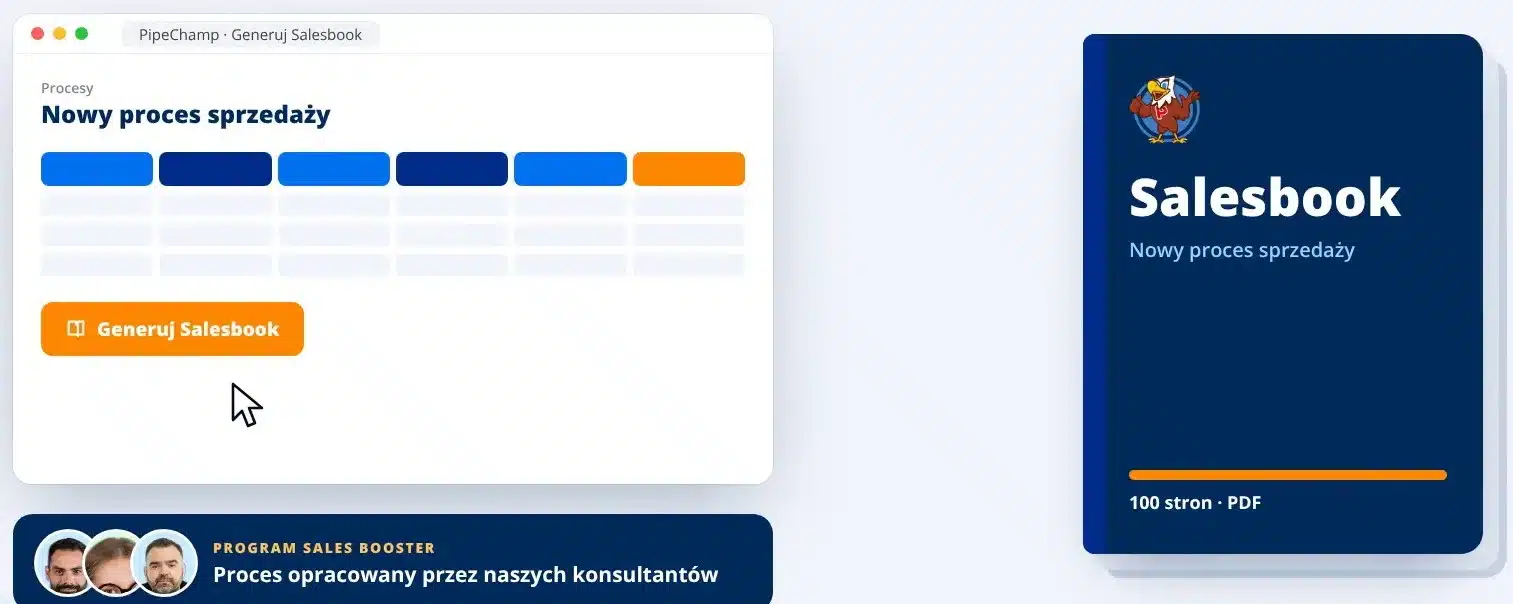
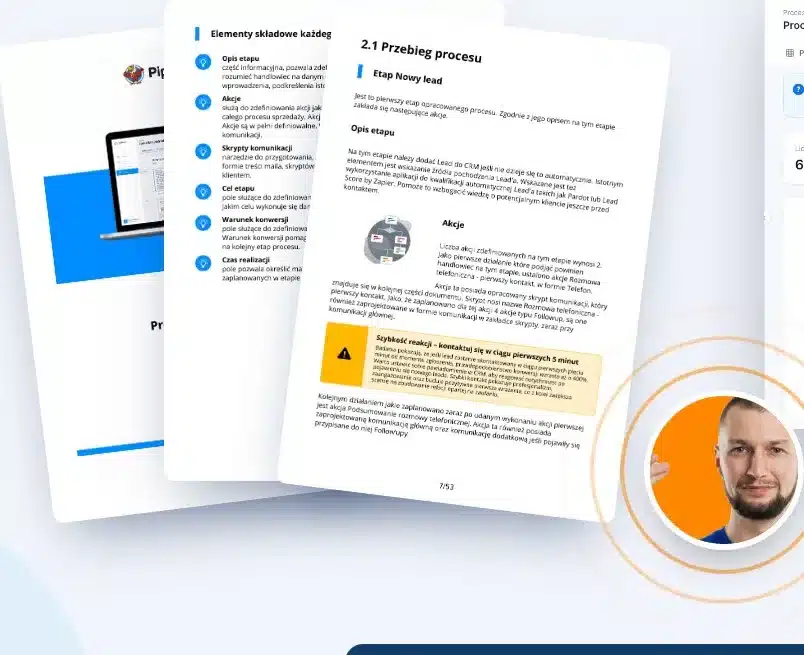
- SalesBook
- Specification
- Documentation
- Process test
Why Pipedrive
Seven reasons why we most often recommend Pipedrive to small and medium-sized B2B teams:
A pipeline every salesperson understands
You move deals between stages like cards, without learning complicated tables.
A fast team start
Basic configuration takes days, not months, so your team is working in the system quickly.
Available in many languages
The whole system and mobile app work in English, Spanish, Polish and many other languages.
More than 500 integrations
The Marketplace connects Pipedrive with email, telephony, invoicing and forms.
Reports for the manager
Insights shows the health of the pipeline and each salesperson’s results without exporting to Excel.
Automations and AI
Repetitive steps and AI suggestions take manual work off your salespeople.
Reasonable cost
The licence grows with your team, and the value for money is among the best in the SMB segment.
Pipedrive compared with the other CRMs we implement
Pipedrive is not the best choice for everyone. We compare it with the systems we implement most often and tell you directly when another option will be better. G2 and Capterra ratings change every few weeks, so check the current scores before you decide.
| # | System | Segment | Best for | G2/Capterra rating | When to choose it |
|---|---|---|---|---|---|
| 1 | Pipedrive | Small–Mid | B2B teams working on a pipeline | 4.3 / 4.5 | Stage-based B2B sales and a fast team start |
| 2 | Livespace | Small–Mid | B2B companies selling in Poland | — / — | When a Polish CRM and local integrations matter |
| 3 | HubSpot Sales Hub / CRM | Small–Mid | Marketing and sales teams working together | 4.4 / 4.5 | When marketing and sales should share one system |
| 4 | Zoho CRM | Small–Enterprise | A full package at a reasonable price | 4.1 / 4.3 | When you need many modules in one licence |
| 5 | Salesforce Sales Cloud | Enterprise | Large, complex organisations | 4.3 / 4.4 | For enterprise processes and many departments |
InStream recommendation
Choose Pipedrive when you sell B2B in a process with clear stages and want your team up and running fast. If you need CRM and ERP in one, extensive marketing or enterprise processes, we will recommend another system based on your process map.
Full ranking of 20 CRM systems
All 20 systems with G2 and Capterra ratings, 10 Polish CRMs and the criteria we use to assess them are on the CRM implementation page.
We partner with 8 CRM systems, so our recommendation follows from your process map, not from a commission.
See the CRM ranking 2026Clients and their stories
Our clients’ success and satisfaction matter most to us. Join more than 1,700 companies worldwide for which we have generated leads.
Case study
Emitel × InStream
Cold Email campaign: boosting in-building mobile network coverage.
105 hot leads350% of the guarantee deliveredClient testimonial
Mr Staff Support
Recruitment of drivers and workers from Asia. Magdalena talks about working with InStream.
Case study
Studio201 × InStream
Cold Email campaign for a software house: apps and AI implementations.
119 hot leads3 signed contractsClient testimonial
Packon
Cardboard packaging manufacturer. Konrad Wijata talks about working with InStream.
Case study
Personal System × InStream
Cold Email campaign for a permanent and temporary staffing agency.
40 hot leads in 3 months17,000+ messagesClient testimonial
Proexwork
Staffing agency. Maciej Krutul talks about working with InStream.
Case study
StethoMe × InStream
LinkedIn: the CEO’s personal brand and US market outreach in 4 months.
607 invitations13.5% acceptance rateCase study
Iguana Group × InStream
Cold Email campaign to schools: sports equipment.
43 hot leads419 repliesClient testimonial
HSK Consulting
Employee hiring services. Jarosław Multan talks about working with InStream.
Client testimonial
MAAG Gear
LinkedIn campaign, 2 years of working together. Krzysztof Orłowski talks about working with InStream.
Client stories
See how we help companies like yours
Testimonials, case studies and campaign results from our clients in Poland and around the world.
See client storiesHow we price a Pipedrive implementation
We bill the implementation monthly, with the number of consulting hours matched to the size of your team. The smallest project costs about €2,800 net and a full implementation for a sales team about €11,200 net.
Small implementation
First salesperson
2 months, 12 h of consulting work per month
For a founding team bringing in its first sales hire.
Medium implementation
Founding team + first salesperson
4 months, 14 h of consulting work per month
For growing teams at an early stage.
Large implementation
Sales teams
4 months, 20 h of consulting work per month
For a complete rebuild of sales structures.
Each variant includes process mapping, Pipedrive configuration, data import, integrations, team training, access to 12 video lessons and development supervision.
You pay for the Pipedrive licence directly to the vendor. We prepare the scope and quote for your team after a short call.
Pipedrive licence pricing
Pipedrive pricing 2026
You buy the licence directly from Pipedrive. Prices in USD per user per month, billed annually, according to the vendor’s price list of 13 November 2026. You can try Pipedrive free for 14 days, no credit card required.
Lite
To start with one pipeline
14USD / user / month
- Leads, deals and calendar
- AI-generated reports
- More than 500 integrations
- Nova meeting assistant
Growth
For a team that works by email
39USD / user / month
- Full email sync with open tracking
- Email automations and follow-up sequences
- Revenue forecasts
- Meeting scheduling and contact timeline
Premium
Pipedrive’s most popular plan
59USD / user / month
- LeadBooster: lead capture and routing
- Scoring and company data enrichment
- AI email tools and shared inboxes
- Proposals, contracts and e-signature
Ultimate
For companies with security requirements
79USD / user / month
- Security alerts and access rules
- Contact enrichment by email and phone
- Test account (sandbox)
- Extended phone support
On the call we will match the plan to your process and the scope of automation. The implementation cost does not depend on the Pipedrive licence.
Frequently asked questions — Pipedrive implementation
What is Pipedrive?
Pipedrive is a cloud-based CRM for sales management, built around the pipeline view. Each deal is a card you move between stages, with contacts, activities, emails and documents attached to it.
Which languages does Pipedrive support?
Pipedrive’s interface and mobile app are available in many languages, including English, Spanish and Polish. The video lessons in our Academy come with an English voice-over.
How much does a Pipedrive licence cost?
Plans cost from USD 14 (Lite) through USD 39 (Growth) and USD 59 (Premium) to USD 79 (Ultimate) per user per month, billed annually, according to the vendor’s price list of 13 November 2026. You pay for the licence directly to Pipedrive and we help you choose the plan that fits your process.
How much does a Pipedrive implementation cost?
The smallest project costs about €2,800 net and a full implementation for a sales team about €11,200 net. We bill monthly and prepare an exact quote after a call.
How long does a Pipedrive implementation take?
From 2 to 4 months, depending on the variant: from process mapping, through configuration and data import, to training and supervising the team’s new habits.
How is an implementation different from configuration?
Configuration means setting up the pipeline and fields. An implementation starts with the sales process and covers data import, integrations, training the whole team and supervision until Pipedrive becomes your salespeople’s everyday tool.
Will you migrate data from Excel or another CRM?
Yes. We import organisations, people and deals from CSV or XLSX files or from an export of your previous system and map the fields to the new structure.
Which tools will you integrate with Pipedrive?
Most often email and calendar, telephony, website forms, invoicing and marketing tools. Pipedrive offers more than 500 integrations in its Marketplace.
Do you train the whole team?
Yes. We train salespeople and managers, and everyone gets access to 12 video lessons on Pipedrive basics and to the sales process in PipeChamp’s learning mode.
Pipedrive or another CRM — how do I decide?
The decision follows from your process map. We partner with 8 CRM systems, so if another system suits you better, we will tell you directly.
What happens after the implementation?
We stay on for development supervision and support: we develop the pipeline, automations and reports together with your company.
Are you a Pipedrive partner?
Yes, we are a certified Pipedrive partner. We help you choose the licence plan, implement the system and train your team.
Let's implement Pipedrive for your sales process
On a diagnostic call we will check whether Pipedrive fits your process and show you what the implementation would look like for your team.