
Bitrix24 partner · CRM implementation 2026
Bitrix24 implementation 2026: we implement Bitrix24 CRM in companies
Bitrix24 is a platform that combines CRM, tasks and projects, a messenger and video calls. We implement it together with your sales process, team training and practice in PipeChamp.
- over 250 CRM implementations
- Bitrix24 partner
- a ready-made Bitrix24 process in PipeChamp
Trusted by 1,700 companies from Poland and around the world
Bitrix24 editions
Bitrix24 cloud or on‑premise: which edition should you implement?
Bitrix24 comes in two editions: in the vendor’s cloud or on your own server. We settle the edition at the start, because it determines the cost, the schedule and who is responsible for updates.
Bitrix24 Cloud
For most small and medium-sized companies
- A start without your own infrastructure or server administrator
- A free plan to start and a 15-day trial of the paid plans
- A subscription for the whole company with a user limit per plan
- Updates and backups handled by the vendor
Bitrix24 On-Premise
For companies with data requirements
- Installation on your server with access to the source code
- Annual licence: Business (50 users) or Enterprise (from 1,000)
- Full control over data, integrations and configuration
- Annual licence renewal with vendor updates and support
The Business on-premise licence costs US$3,590 per year per organisation (50 users), Enterprise US$24,990 per year. Source: vendor price list, read on 19 November 2026.
We will implement Bitrix24 together with your sales process, team training and practice in PipeChamp.
Book an implementation callAll CRM implementationsBitrix24 in a nutshell
What is Bitrix24 and who is it for?
Bitrix24 is a platform for teamwork and sales: a CRM with leads, deals and sales pipelines works alongside tasks, a messenger, video calls and file storage. The team works in one tool and the manager sees sales and tasks in one place. If you are still checking what a CRM is and how to choose one, start with our guide How to choose a CRM.
Who Bitrix24 is for
Small and medium-sized companies that want CRM, tasks and team communication in one platform, and organisations that need an installation on their own server.
What you get in the system
Leads and deals in sales pipelines, a contact centre, quotes and invoices, automation rules, reports, tasks and projects, a messenger, video calls and the CoPilot AI assistant.
When to choose another CRM
When your team only needs a sales pipeline and a fast start, or extensive enterprise processes. Then, based on your process map, we will recommend another system from our 8 partners.
Bitrix CRM and modules
Bitrix CRM and the other Bitrix24 modules
Bitrix CRM is the sales part of the Bitrix24 platform. Tasks, communication and websites work alongside it. We configure them for your sales process and hide the modules your team does not need from the salesperson’s view.
Bitrix CRM: sales from lead to invoice
- Leads, deals, contacts and companies in sales pipelines
- Contact centre: forms, website chat, WhatsApp, Instagram, phone and email reach the CRM as leads
- Quotes, invoices, payments, product catalogue and e-signature
- Automation rules move leads and deals between stages
Team tasks and projects
- Tasks in Kanban, Gantt, Scrum and list views
- Time tracking on tasks
- Employee performance reports
- Task automation in projects
Communication in one place
- Team chat and activity stream
- Video calls and online meetings with screen sharing
- Drive for documents and files
- Shared calendars and a mobile app
CoPilot AI, websites and stores
- CoPilot in CRM: call transcription and summaries
- Filling in deal fields and support for sales forecasting
- Website builder, landing pages and web forms
- Online store and selling through messengers
Feature scope according to bitrix24.com, read on 19 November 2026. Availability depends on the plan.
- Sales pipelinesLeads and deals in stages, with value and an owner
- Contact centreEnquiries from your channels reach the CRM as leads
- Email and messengersEmail, WhatsApp and phone on the client card
- Automation rulesTriggers move deals and send notifications
- Analytics and reportsPipeline analysis, team results and BI reports
- Tasks and projectsKanban, Gantt and time tracking
- Messenger and videoChat, online meetings and shared drive
- CoPilot AICall summaries and forecasting support
Learning mode in PipeChamp
Go through the Bitrix24 sales process before you implement it
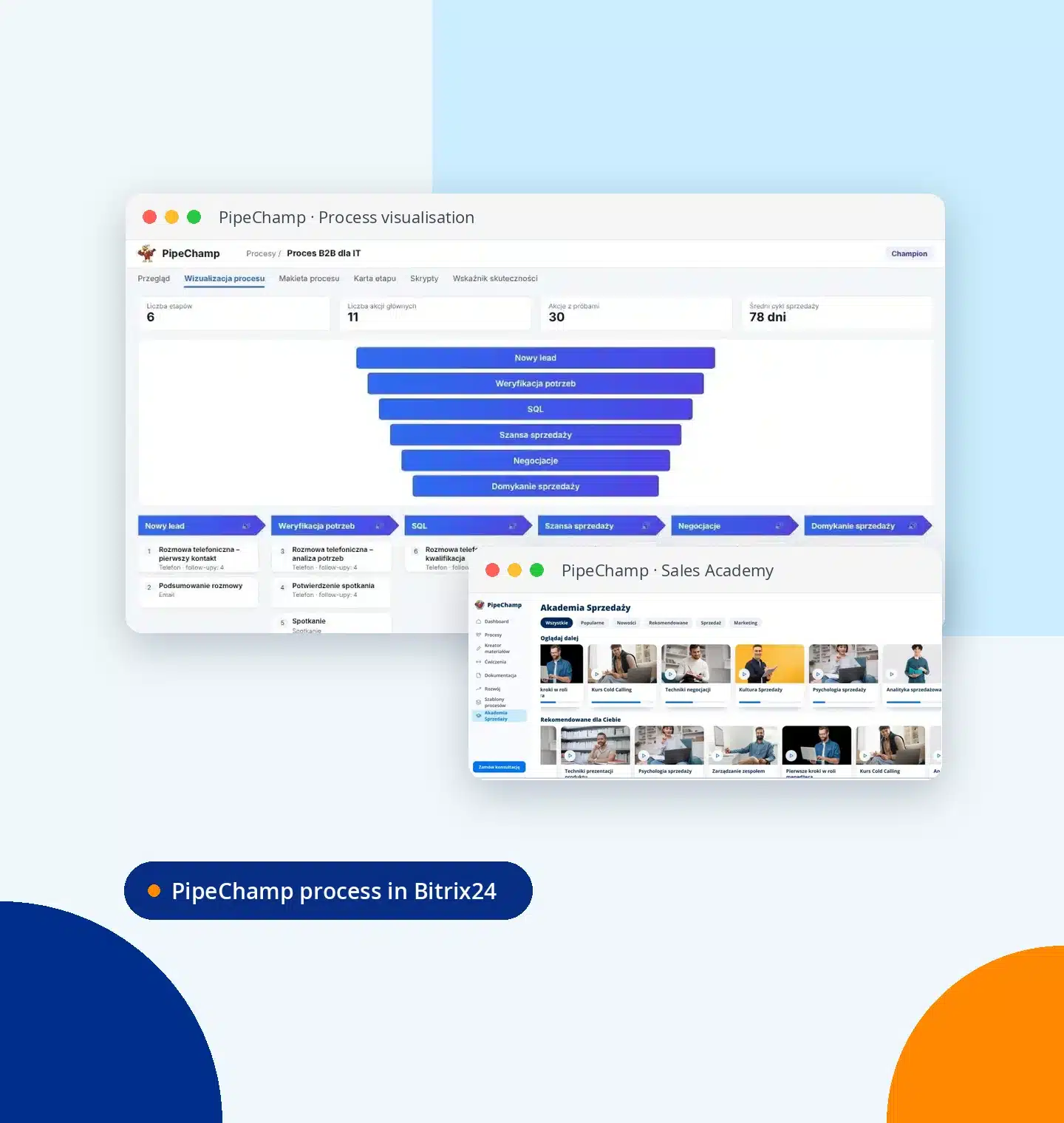
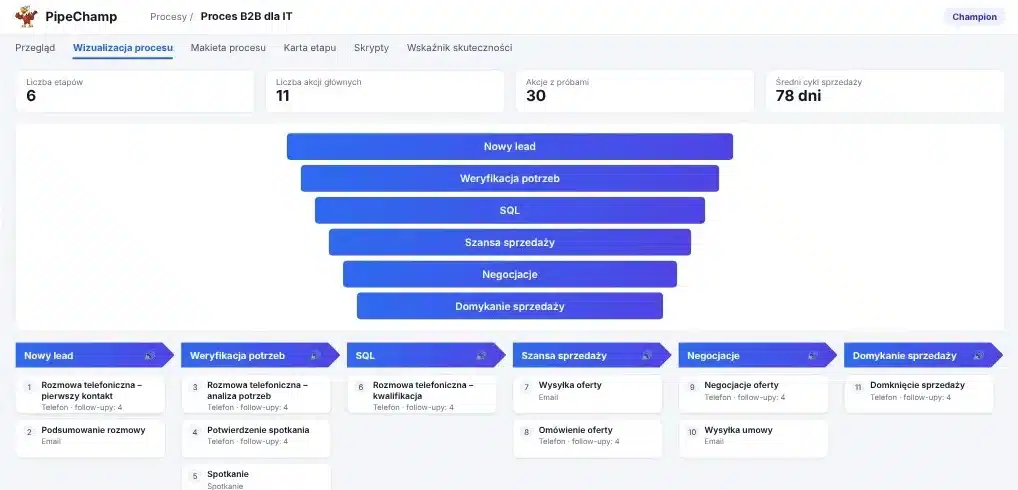
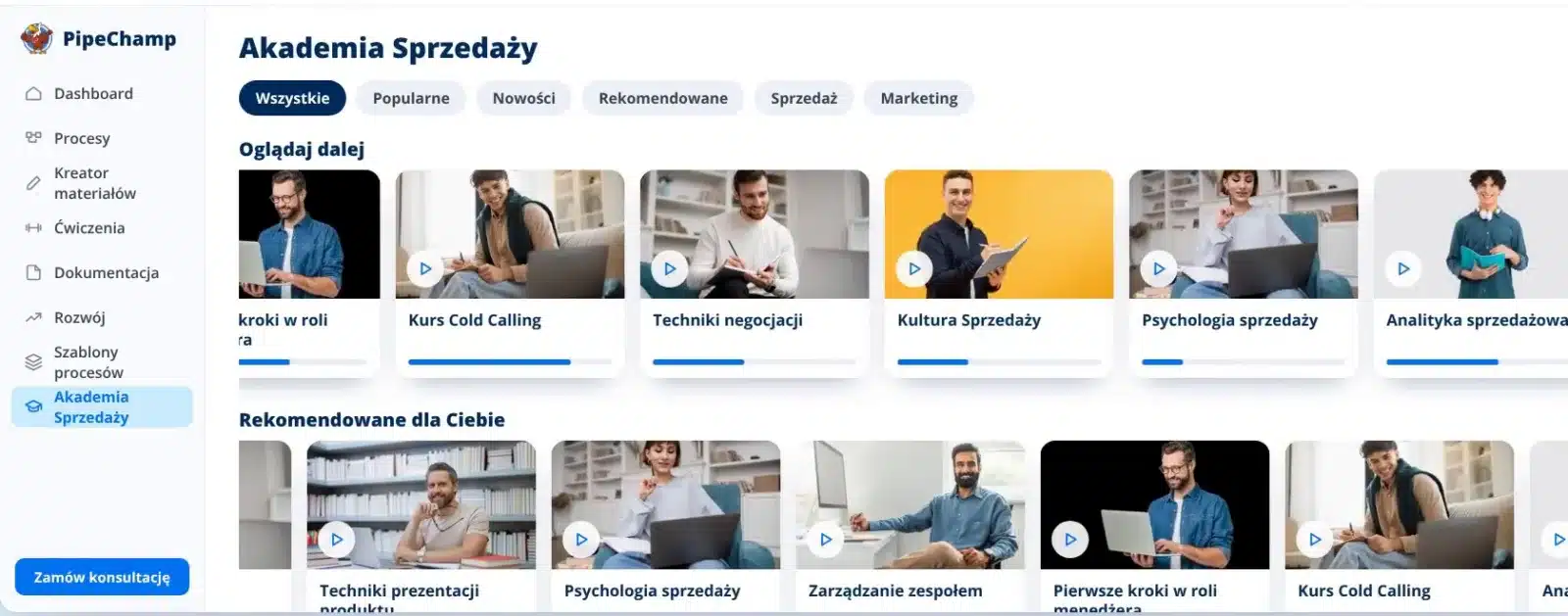
A ready-made process, “Sales Process – Bitrix24”, is waiting in PipeChamp: 6 stages matching the default Bitrix24 lead and deal pipelines 1:1, 12 actions with scripts and follow-ups, and KPIs for each stage. Your team practises exactly what it will later see in the CRM.
- 6 stages as in Bitrix24: from lead qualification to the final invoice
- Call scripts, emails and follow-ups for every action
- Learning mode and KPIs for each stage
- Virtual process
- Scripts
- Follow-ups
- Stage KPIs
Project schedule
Sample Bitrix24 implementation schedule
This is what a typical 4-month project for a sales team looks like. Smaller implementations take 2 months, with the steps in the same order.
- 01Month 1Process mapping and specificationWe document the process, stages, fields and integrations. The implementation documentation is created.
- 02Representing you with the vendor and negotiating pricesWe talk to Bitrix24 on your behalf and choose the plan and edition: cloud or on-premise.
- 03Month 2Project kick-offWe set up the account, roles and the work schedule with your team.
- 04ImplementationWe configure the pipelines, fields, data import, contact centre channels and automations.
- 05Month 3TestingWe run the process on real data and fine-tune the settings.
- 06PracticeThe team practises the process in PipeChamp’s learning mode.
- 07Month 4Working with the team1:1 sessions and supervision of the first weeks of work in Bitrix24.
- 08Project handoverWe hand over the system, documentation and SalesBook. We stay on for support.
How we implement Bitrix24 — 8 steps
Eight steps, from the process map to day-to-day work in Bitrix24, led by the same consultant:
- 01
Process
We map your sales process and team structure before we start setting up the system.
- 02
Lead and deal pipelines
We design pipelines, stages and lead statuses for your sales process.
- 03
Fields and permissions
We set up fields for leads, deals, contacts and companies and team permissions.
- 04
Data import
We move contacts, companies and deals from spreadsheets or your previous CRM.
- 05
Integrations
We connect email, telephony, forms and contact centre channels.
- 06
Automations and reports
We build automation rules, triggers and reports for the manager.
- 07
Training and practice
We train the whole team and you practise the process in PipeChamp’s learning mode.
- 08
Supervision and support
We keep the new habits in place and develop Bitrix24 together with your company.
Sales Process – Bitrix24: 6 stages and 12 actions
The ready-made process template in PipeChamp mirrors the default Bitrix24 lead and deal pipelines. At every stage the salesperson knows what to do and what to record on the lead or deal card.
- 01Lead: In progress
Lead qualification
14 days
- Phone call – first contact
- Call summary by email
- Up to 4 follow-ups
- 02New
New deal
7 days
- Meeting confirmation
- Meeting – needs analysis
- Meeting summary
- 03Create papers
Preparing documents
7 days
- Sending the quote
- Call – quote negotiation
- Follow-ups after the quote
- 04Invoice
Invoice
7 days
- Sending the contract and invoice
- Confirming the contract was sent
- Call – closing the sale
- 05In progress
In progress
14 days
- Meeting – project kick-off
- Next activity scheduled in the CRM
- 06Final invoice
Final invoice
7 days
- Call – acceptance and final invoice
- Follow-ups until settlement
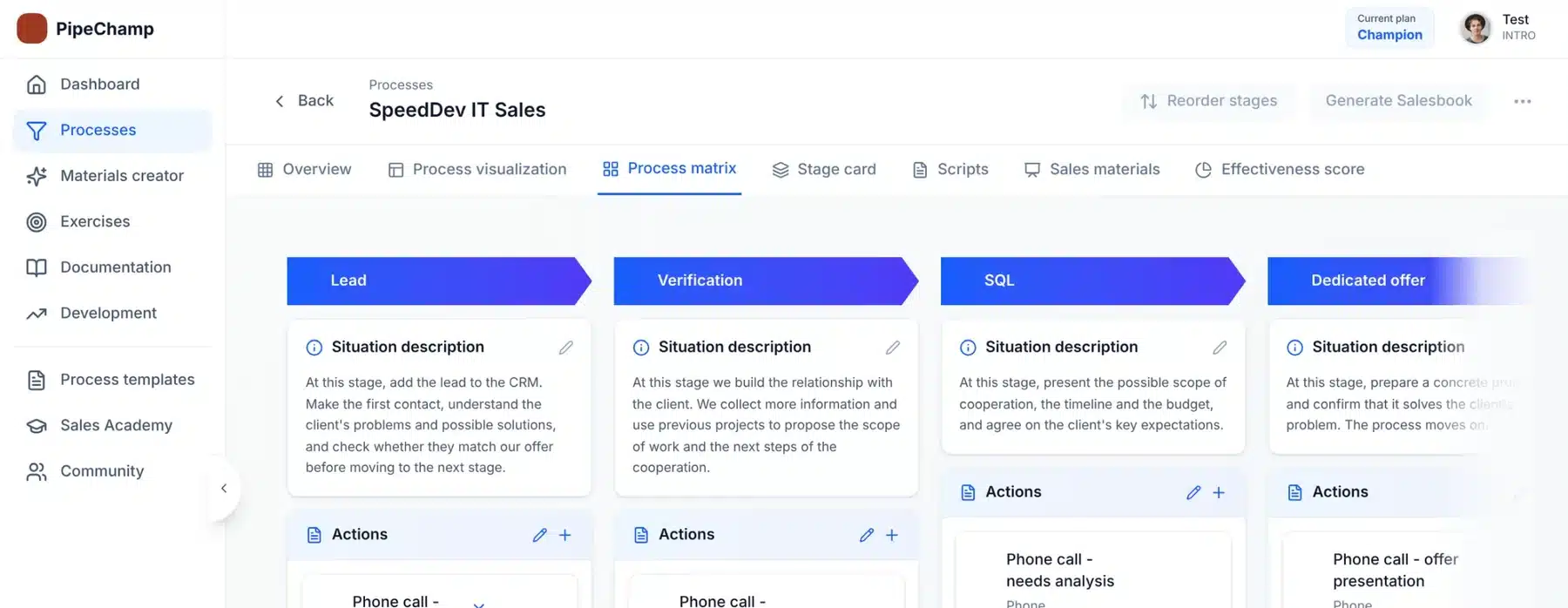
The whole cycle takes about 56 days. Stage names can be changed in the Bitrix24 pipeline settings and a lost deal is marked in the CRM with a reason.
How to prepare for a Bitrix24 implementation — 5 steps
A good implementation starts before the first login. We prepare these five things together at the start of the project.
- A documented sales processStages, exit criteria and what the salesperson does at each stage.
- Data to migrateSpreadsheets or an export from your previous system: companies, people, deals and contact history.
- A list of integrations and channelsEmail, telephony, forms, messengers and marketing tools.
- A system ownerA person on your side who approves the settings and administers Bitrix24 after the implementation.
- Goals and KPIsWhat the manager should see in reports from the first week of working in the CRM.
SalesBook and specification
A process SalesBook to test and a specification in 2 hours
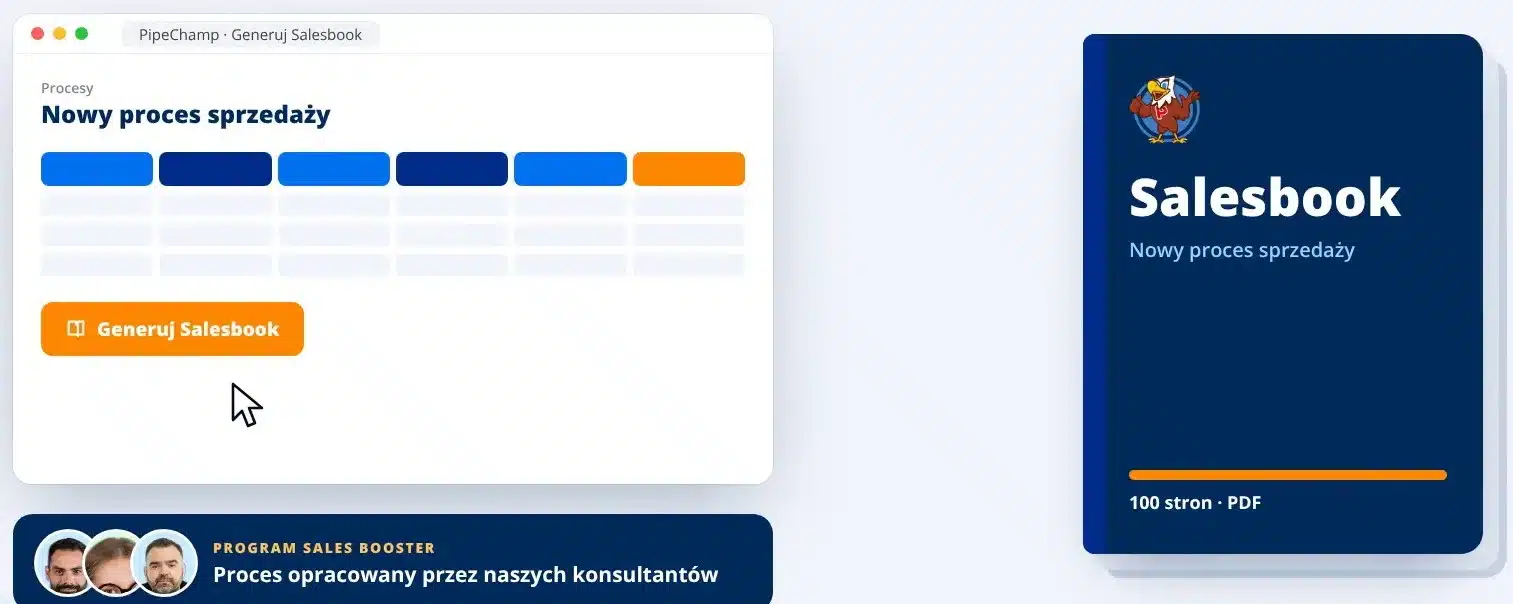
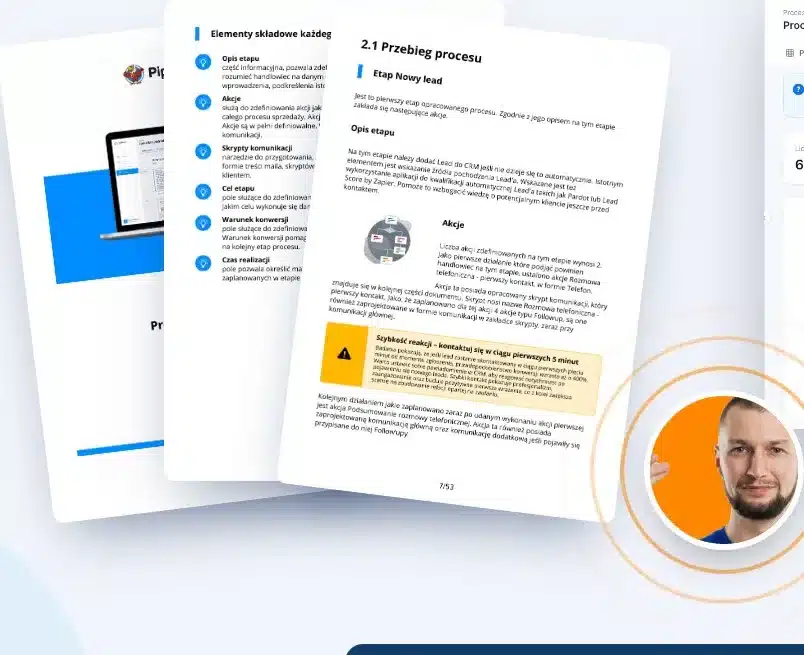
In 2 hours we write the specification with you: process, stages, fields, integrations and reports. This conversation produces the implementation documentation and a process SalesBook you can review and test before we set anything up in Bitrix24.
- Implementation specification in a single 2-hour session
- Documentation of the process and Bitrix24 settings
- A SalesBook with scripts to test before launch
- SalesBook
- Specification
- Documentation
- Process test
Bitrix24 reviews
Bitrix24: advantages and limitations before you choose
Seven reasons why companies choose Bitrix24 and the limitations we discuss openly before an implementation:
CRM, tasks and communication in one
Sales, projects, chat and video calls work in one platform instead of several separate tools.
A free plan to start
Basic CRM, tasks, chat and video calls are available in the Free plan.
One price for the whole company
Paid plans have a fixed price per organisation with a user limit, not a price per salesperson.
Contact centre in the CRM
Forms, website chat, WhatsApp, phone and email create leads in the CRM.
Quotes and invoices in the system
Quotes, invoices, payments and the product catalogue are part of the CRM.
Cloud or your own server
The on-premise edition gives you an installation on your server and access to the source code.
Integrations and AI
More than 850 apps in Bitrix24 Market, a REST API and the CoPilot assistant.
Limitations worth knowing about
A broad package means more configuration: without structure a salesperson sees dozens of features they do not use, which is why we start the implementation with the process. If your team only needs a sales pipeline, a lighter CRM is often quicker to implement. The on-premise edition requires your own server and an annual licence renewal. You can check user ratings in the Bitrix24 reviews on G2.
Bitrix24 compared with the other CRMs we implement
Bitrix24 is not the best choice for everyone. We compare it with the systems we implement most often and tell you directly when another option will be better. G2 and Capterra ratings change every few weeks, so check the current scores before you decide.
| # | System | Segment | Best for | G2/Capterra rating | When to choose it |
|---|---|---|---|---|---|
| 1 | Bitrix24 | Small–Mid | CRM, messenger and tasks in one | — / — | When the team wants sales, tasks and communication in one platform |
| 2 | Pipedrive | Small–Mid | B2B teams working on a pipeline | 4.3 / 4.5 | Stage-based B2B sales and a fast team start |
| 3 | Livespace | Small–Mid | B2B companies selling in Poland | — / — | When a Polish CRM and local integrations matter |
| 4 | HubSpot Sales Hub / CRM | Small–Mid | Marketing and sales teams working together | 4.4 / 4.5 | When marketing and sales should share one system |
| 5 | Salesforce Sales Cloud | Enterprise | Large, complex organisations | 4.3 / 4.4 | For enterprise processes and many departments |
InStream recommendation
Choose Bitrix24 when you want CRM, tasks and team communication in one platform or need an installation on your own server. If your team sells B2B in a simple process and a fast start matters, consider Pipedrive. If a Polish CRM that guides the salesperson step by step matters, consider Livespace.
Full ranking of 20 CRM systems
All 20 systems with G2 and Capterra ratings, 10 Polish CRMs and the criteria we use to assess them are on the CRM implementation page.
We partner with 8 CRM systems, so our recommendation follows from your process map, not from a commission.
See the CRM ranking 2026Clients and their stories
Our clients' success and satisfaction matter most to us. Join more than 1,700 companies worldwide for which we have generated leads.
Case study
Emitel × InStream
Cold Email campaign: boosting in-building mobile network coverage.
105 hot leads350% of the guarantee deliveredClient testimonial
Mr Staff Support
Recruitment of drivers and workers from Asia. Magdalena talks about working with InStream.
Case study
Studio201 × InStream
Cold Email campaign for a software house: apps and AI implementations.
119 hot leads3 signed contractsClient testimonial
Packon
Cardboard packaging manufacturer. Konrad Wijata talks about working with InStream.
Case study
Personal System × InStream
Cold Email campaign for a permanent and temporary staffing agency.
40 hot leads in 3 months17,000+ messagesClient testimonial
Proexwork
Staffing agency. Maciej Krutul talks about working with InStream.
Case study
StethoMe × InStream
LinkedIn: the CEO's personal brand and US market outreach in 4 months.
607 invitations13.5% acceptance rateCase study
Iguana Group × InStream
Cold Email campaign to schools: sports equipment.
43 hot leads419 repliesClient testimonial
HSK Consulting
Employee hiring services. Jarosław Multan talks about working with InStream.
Client testimonial
MAAG Gear
LinkedIn campaign, 2 years of working together. Krzysztof Orłowski talks about working with InStream.
Client stories
See how we help companies like yours
Testimonials, case studies and campaign results from our clients in Poland and around the world.
See client storiesHow we price a Bitrix24 implementation
We bill the implementation monthly, with the number of consulting hours matched to the size of your team. The smallest project costs about €2,800 net and a full implementation for a sales team about €11,200 net.
Small implementation
First salesperson
2 months, 12 h of consulting work per month
For a founding team bringing in its first sales hire.
Medium implementation
Founding team + first salesperson
4 months, 14 h of consulting work per month
For growing teams at an early stage.
Large implementation
Sales teams
4 months, 20 h of consulting work per month
For a complete rebuild of sales structures.
Each variant includes process mapping, Bitrix24 configuration, data import, integrations, team training, process practice in PipeChamp and development supervision.
You pay for the Bitrix24 licence directly to the vendor. We prepare the scope and quote for your team after a short call.
Bitrix24 licence pricing
Bitrix24 pricing 2026
You buy the licence directly from Bitrix24. Prices in USD per company per month, billed annually, according to the vendor’s price list on bitrix24.com (read on 19 November 2026). You can try the paid plans for 15 days, no credit card required.
Free
To start at no cost
0USD / month
- Basic CRM: deals and contacts
- Tasks in Kanban and Gantt views
- Chat and video calls
- 5 GB storage
Basic
For a small team
49USD / company / month · up to 5 users
- Sales pipelines and recurring deals
- Email, WhatsApp and telephony integration
- Online payments
- 24 GB storage
Standard
For a team of up to 50
99USD / company / month · up to 50 users
- Unlimited leads
- Quotes and invoices
- CRM form builder and e-signature
- 100 GB storage
Professional
For sales automation
199USD / company / month · up to 100 users
- Sales automation and call tracking
- Email marketing and online booking
- Analytics and reports
- 1 TB storage
Billed monthly, the plans cost US$69 (Basic), US$144 (Standard) and US$289 (Professional). The Enterprise plan starts at US$399 per month, billed annually, for 250 users.
On the call we will match the plan and edition to your process. The implementation cost does not depend on the Bitrix24 licence.
Frequently asked questions — Bitrix24 implementation
What is Bitrix24?
Bitrix24 is a platform for teamwork and sales. It combines a CRM with leads, deals and sales pipelines with tasks, a messenger, video calls and file storage. It runs in the cloud or on the company’s own server.
What is Bitrix CRM?
Bitrix CRM is the sales part of Bitrix24: leads, deals, contacts and companies in sales pipelines, a contact centre, quotes and invoices, automation rules and reports. The other modules of the platform, such as tasks or the messenger, work alongside the CRM.
Is Bitrix24 free?
Yes, Bitrix24 has a Free plan with basic CRM, tasks, chat and video calls. Sales pipelines, telephony integration, automations and more users are available in the paid plans.
How much does a Bitrix24 licence cost?
Billed annually, the plans cost US$49 (Basic, up to 5 users), US$99 (Standard, up to 50 users) and US$199 (Professional, up to 100 users) per month for the whole company, according to the vendor’s price list on bitrix24.com (read on 19 November 2026). You pay for the licence directly to the vendor.
Bitrix24 cloud or on-premise?
The cloud is enough for most small and medium-sized companies: it needs no server of your own and updates are handled by the vendor. The on-premise edition gives you an installation on your server and access to the source code. The Business licence costs US$3,590 per year for 50 users (vendor price list, read on 19 November 2026).
Bitrix24 reviews: what are the advantages and limitations?
Companies value Bitrix24 for CRM, tasks and communication in one platform, the free plan and one price for the whole company. The limitation is a broad package that needs to be structured around the sales process. You can check user ratings on G2.
How much does a Bitrix24 implementation cost?
The smallest project costs about €2,800 net and a full implementation for a sales team about €11,200 net. We bill monthly and prepare an exact quote after a call.
How long does a Bitrix24 implementation take?
From 2 to 4 months depending on the variant: from process mapping, through configuration and data import, to training and supervision of the team’s new habits.
Will you migrate data from Excel or another CRM?
Yes. We import companies, people and deals from CSV or XLSX spreadsheets or from an export of your previous system and map the fields to the new structure.
Which tools will you integrate Bitrix24 with?
Most often with email, telephony, website forms, messengers and marketing tools. Bitrix24 has more than 850 apps in Bitrix24 Market and a REST API.
Bitrix24 or another CRM: how do I decide?
The decision follows from your process map. We partner with 8 CRM systems, so if Pipedrive, Livespace or another system suits you better, we will tell you directly.
Are you a Bitrix24 partner?
Yes, we are a Bitrix24 partner. We help you choose the licence plan and edition, implement the system and train your team.
Let’s implement Bitrix24 for your sales process
On a diagnostic call we will check whether Bitrix24 fits your process and show you what the implementation would look like for your team.